Changelog

Follow new updates and improvements to GoCSM.

🚀 New Feature Release: Embeddable White-labeled Customer Account Activity Center

Now you can give your clients full visibility into their own account usage—right inside your HighLevel dashboard.
🌟 What’s New:

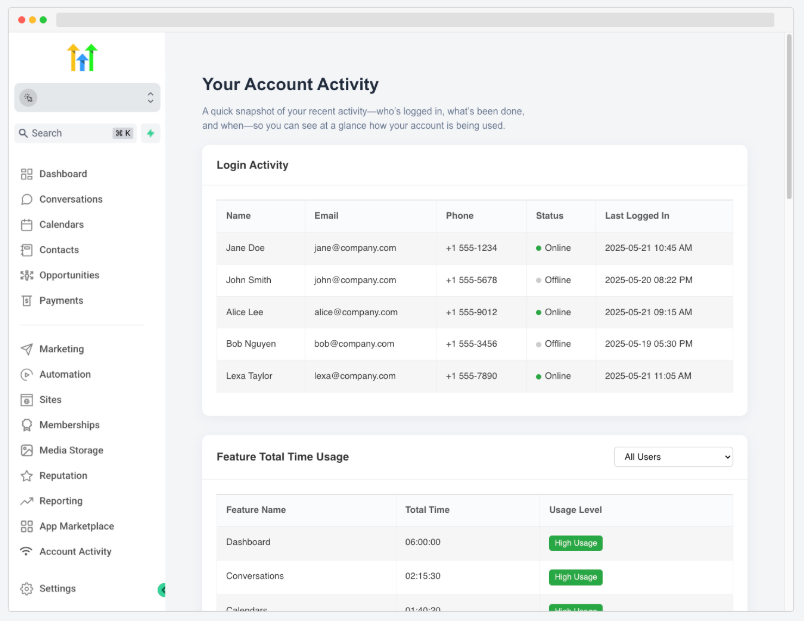
Your customers can now view:

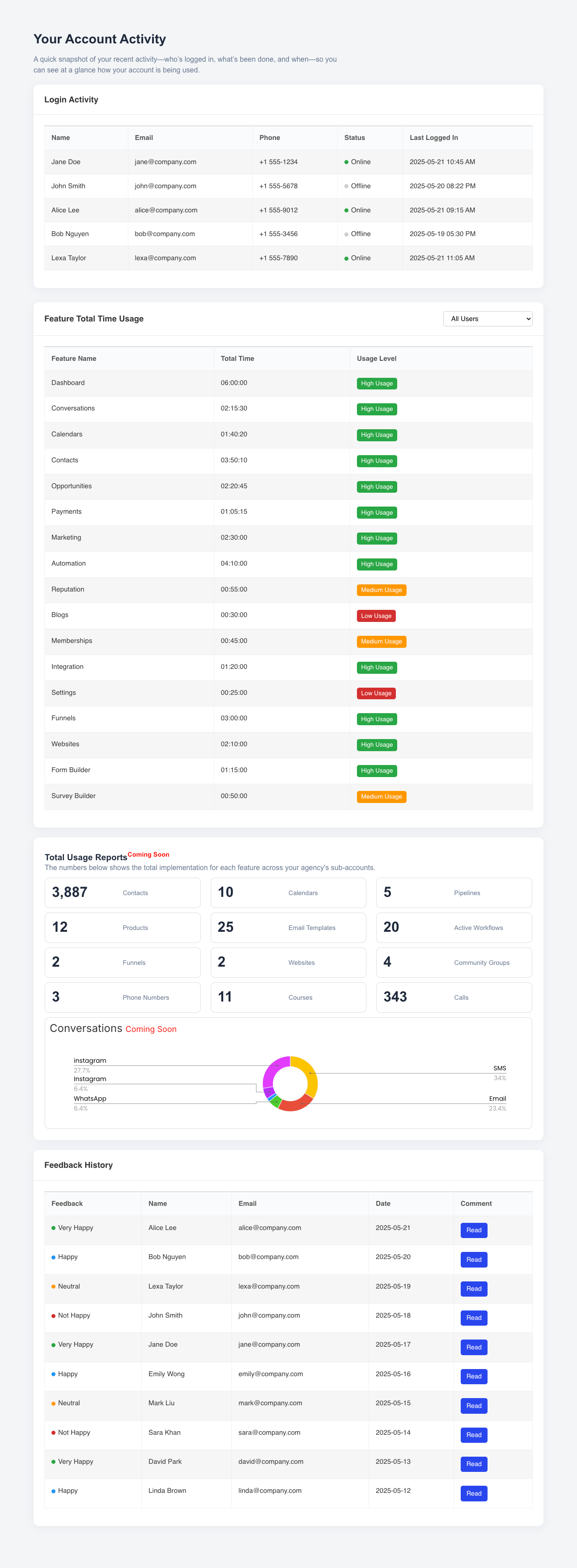
  • Login Activity: See who logged in, when, and for how long

  • Feature Total Time Usage: Track how much time each user spent on every feature, with usage level indicators (High, Medium, Low)

  • Feedback History: See what users are saying with visual indicators for sentiment

  • Total Usage Summary (Coming Soon): Automatically generated metrics for contacts, calendars, funnels, websites, and more
🔧 How to Set Up:

  1. Copy your unique embed URL
    (e.g. https://activity.csmconnector.com/subaccount-activity/{{location.id}})

  2. Paste it into your Agency Settings → Custom Menu Links in HighLevel

  3. Label it "Account Activity" or anything you prefer
    ✔️ That’s it! Your customers will see the “Account Activity” tab directly in their side nav

This self-service experience improves transparency, reduces support tickets, and builds stronger trust with your clients—automatically branded as your own!
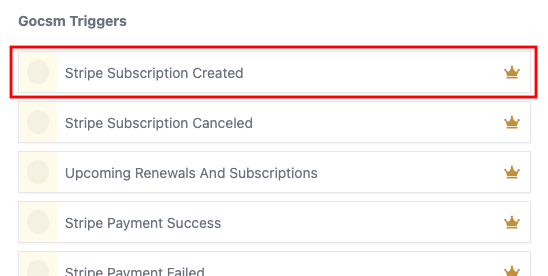
🚀 New Workflow Trigger: Subscription Created (Stripe)

GoCSM now detects when a new customer subscription is created in Stripe — in real-time! 🎉

🔄 What’s Included:

  • New “Subscription Created” trigger inside GoCSM Workflows

  • Automatically maps Stripe data to your Customer Custom Fields

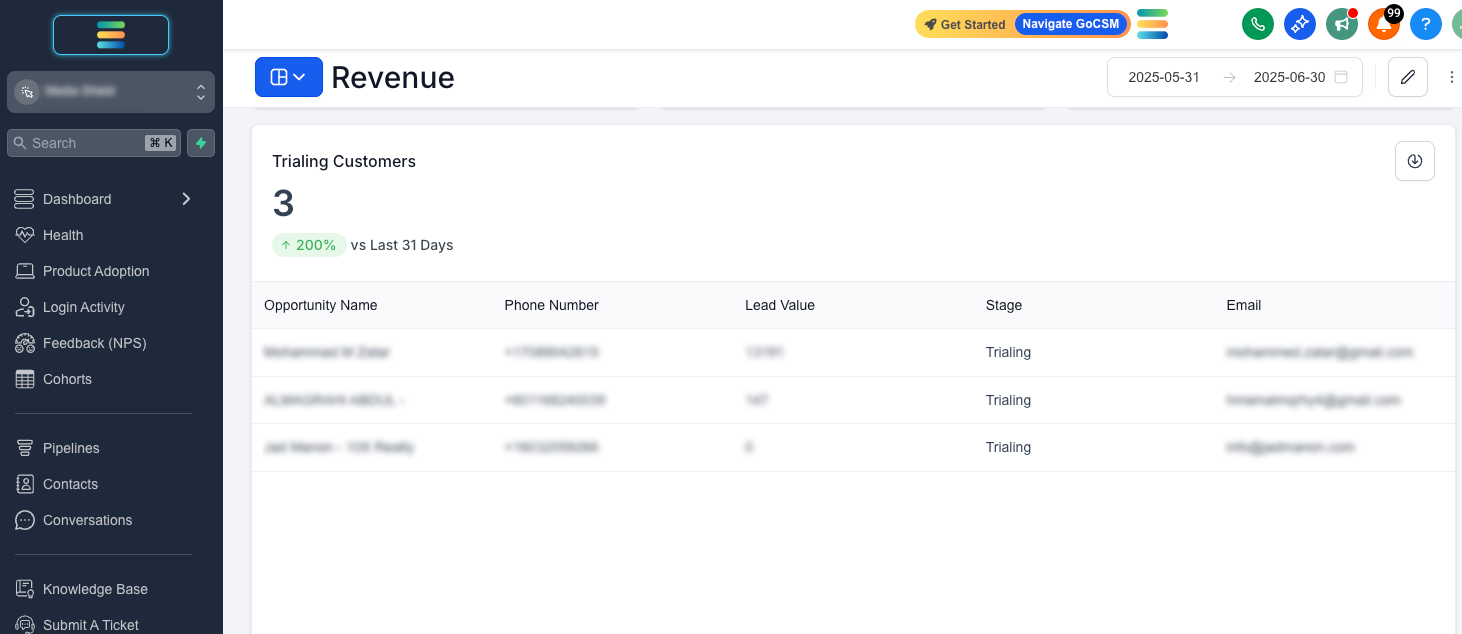
  • Accurately identifies Trialing Customers

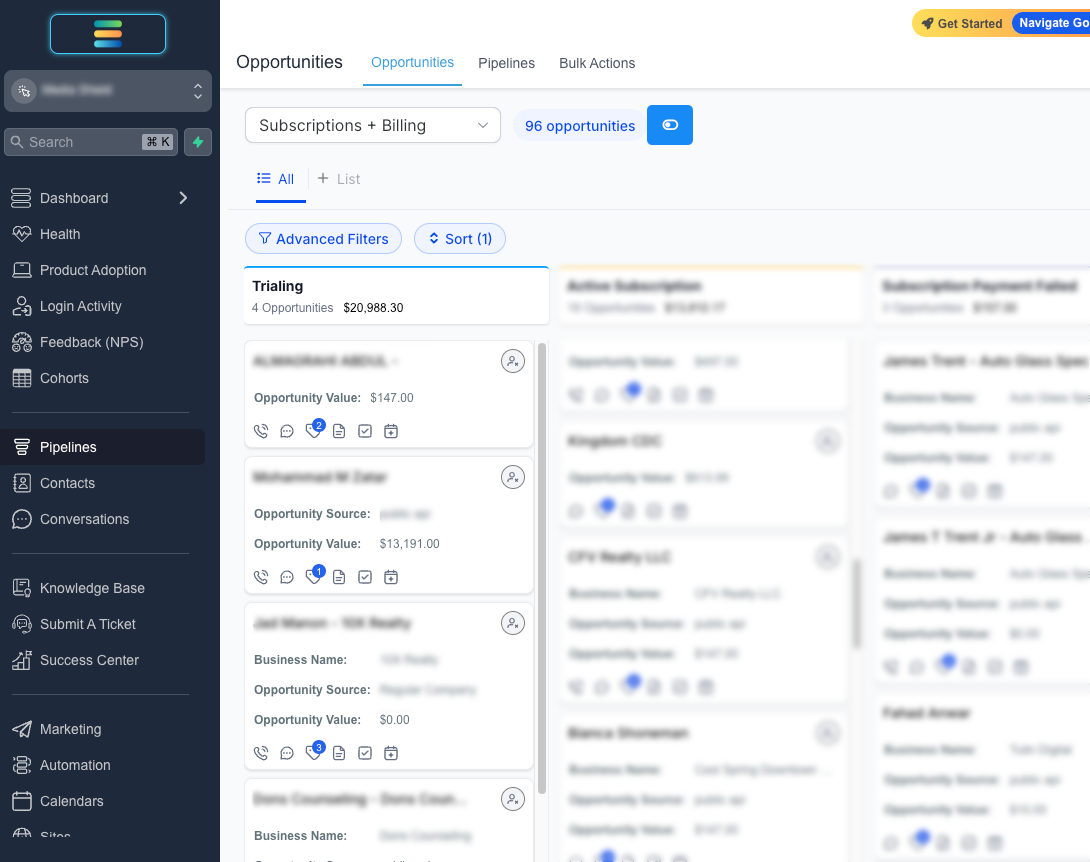
  • New “Trialing” Stage in your Billing + Subscriptions Pipeline

  • New “Trialing Customers” list view in your Revenue Dashboard

⚠️ Stripe Integration Required
Make sure your Stripe account is connected to GoCSM to start using this trigger.

This update gives you sharper visibility and automation from the moment a subscription is created!

NewIntegrations

🩺 New: Health Status Breakdown Page is Now Live!

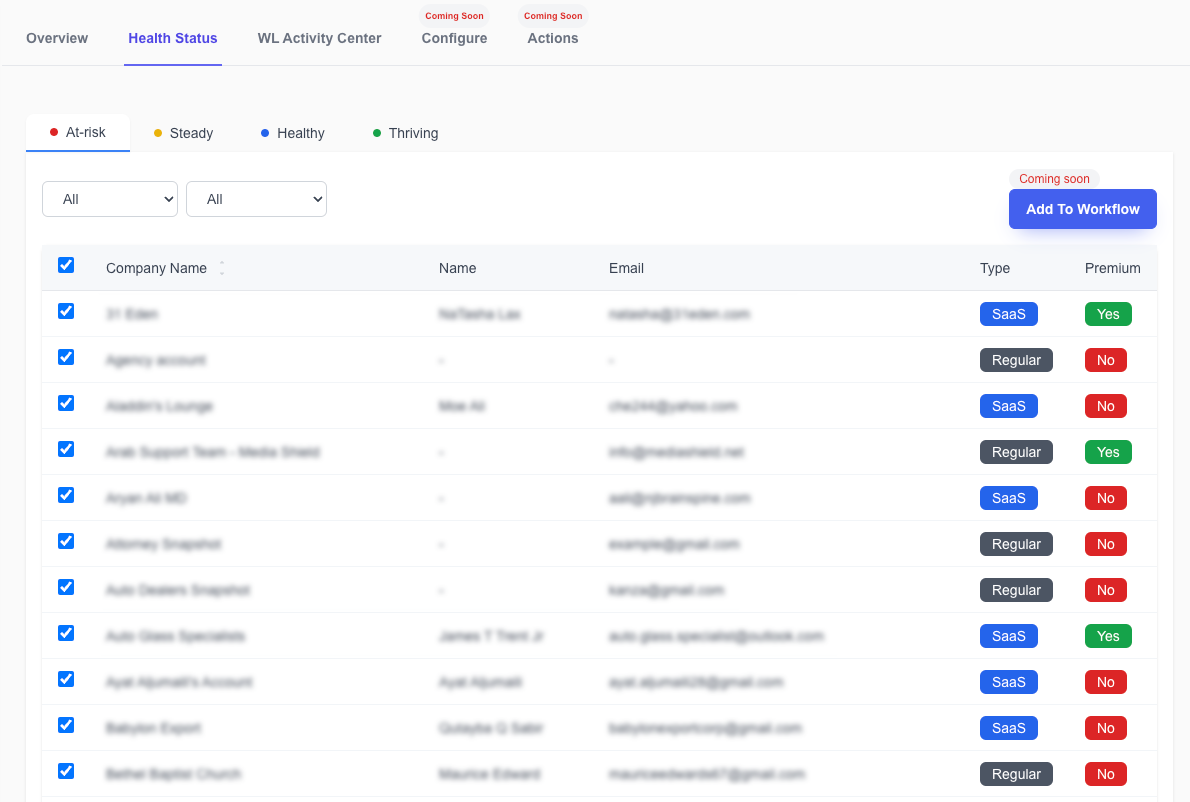
Quickly view and manage your customers based on their real-time health score with the all-new Health Status Breakdown Page in GoCSM.


🆕 What’s Included

  • 🟥 At-Risk, 🟧 Steady, 🟦 Healthy, 🟩 Thriving
    Sub-accounts are now grouped by Health Status so you can take action where it matters most.

  • 🔎 Filter Options

    • View All, SaaS Only, or Regular Only accounts

    • Filter by Premium or Non-Premium customers

  • 📤 Bulk Selection Ready
    Easily select accounts for future actions, bulk updates, or export.


🔜 Coming Soon: Add to Workflow

A new “Add to Workflow” button will allow you to bulk enroll selected accounts directly into your GoCSM Workflows — coming very soon!


💡 Why This Matters

  • 🚨 Act Fast on At-Risk Clients

  • 🧠 Segment Your Book of Business by Engagement

  • 📈 Plan Proactive Outreach by Health Category


Now available under GoCSM > Health > Health Status


Want help turning these segments into actionable campaigns? Join a support session or visit help.gocsm.com.

NewHealth

Earlier updates