📋 New: Sub-Accounts Usage Summary Now Available
Want a quick snapshot of what your customers are building inside their accounts?
You can now view a feature-by-feature usage summary for every sub-account in GoCSM.
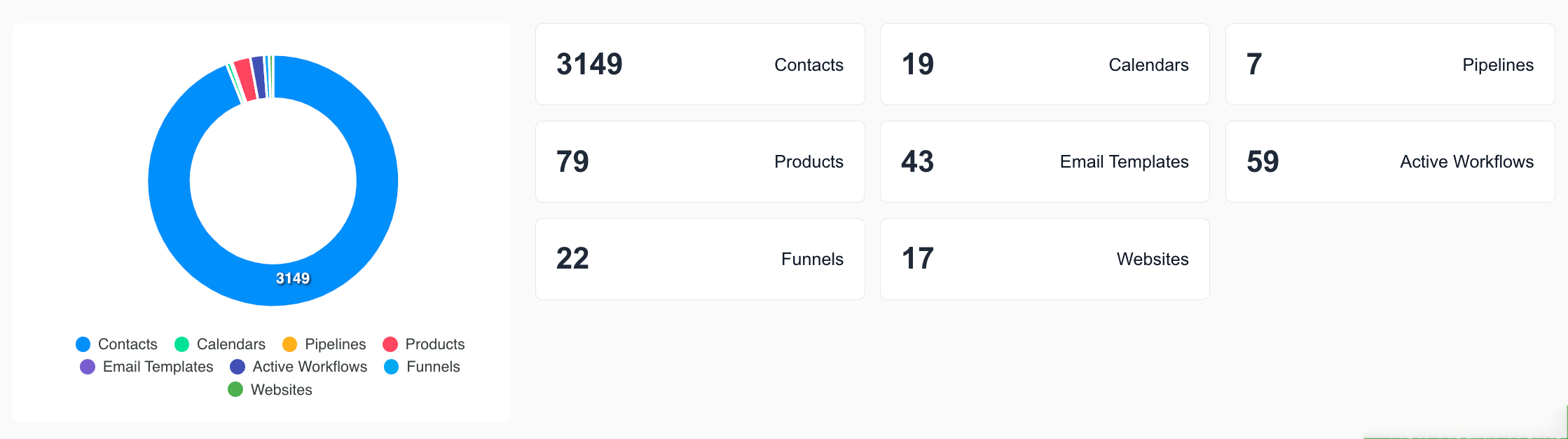
🆕 What’s Included
Each sub-account now shows total counts for:
👥 Contacts Created
📆 Calendars Created
🛠️ Pipelines Created
🛒 Products Added
✉️ Email Templates Created
⚙️ Workflows Created
📈 Funnels Created
🌐 Websites Created
📍 Where to Find It
Go to:
Health > Click any sub-account from the list to see their full usage summary.
🔄 Important: Re-Integration May Be Required
To see this data on your accounts, you may need to reintegrate GoCSM from your GHL account.
This ensures all usage metrics sync properly.
💡 Why This Matters
🔍 Quickly assess sub-account engagement
🧠 Identify under-utilized accounts for proactive support
📊 Use data to drive onboarding, upsells, and retention
Now live on your GoCSM Dashboard > Health > Sub-Accounts view.
Need help reintegrating? Join a support session or check help.gocsm.com.