Changelog

Follow new updates and improvements to GoCSM.

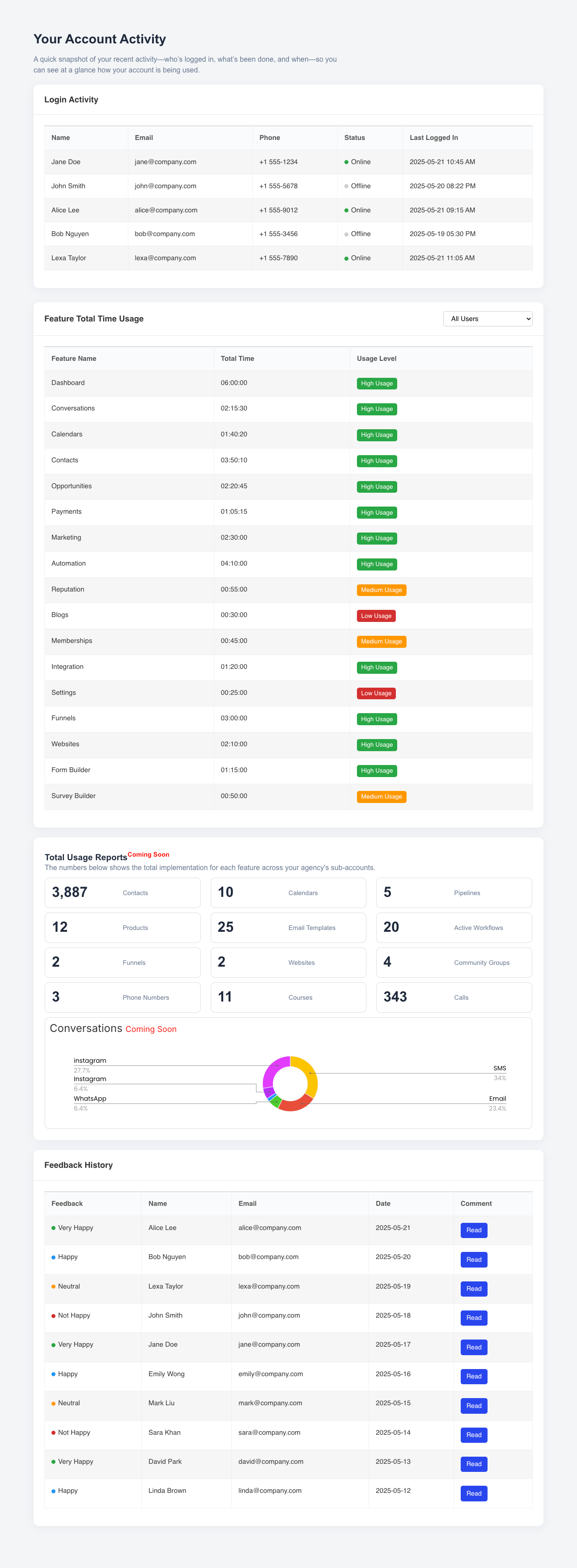
🚀 New Feature Release: Embeddable White-labeled Customer Account Activity Center

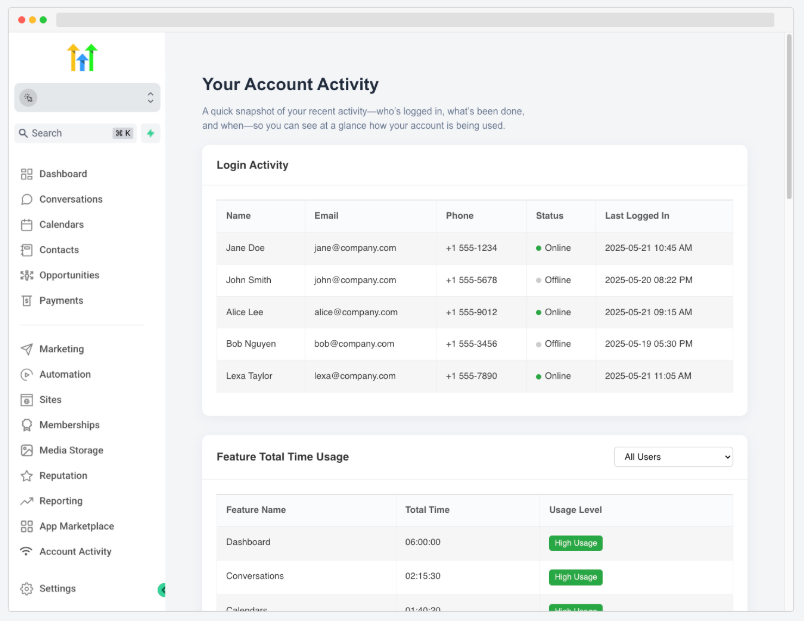
Now you can give your clients full visibility into their own account usage—right inside your HighLevel dashboard.
🌟 What’s New:

Your customers can now view:

  • Login Activity: See who logged in, when, and for how long

  • Feature Total Time Usage: Track how much time each user spent on every feature, with usage level indicators (High, Medium, Low)

  • Feedback History: See what users are saying with visual indicators for sentiment

  • Total Usage Summary (Coming Soon): Automatically generated metrics for contacts, calendars, funnels, websites, and more
🔧 How to Set Up:

  1. Copy your unique embed URL
    (e.g. https://activity.csmconnector.com/subaccount-activity/{{location.id}})

  2. Paste it into your Agency Settings → Custom Menu Links in HighLevel

  3. Label it "Account Activity" or anything you prefer
    ✔️ That’s it! Your customers will see the “Account Activity” tab directly in their side nav

This self-service experience improves transparency, reduces support tickets, and builds stronger trust with your clients—automatically branded as your own!
📉 New: GoCSM Churn Cohorts

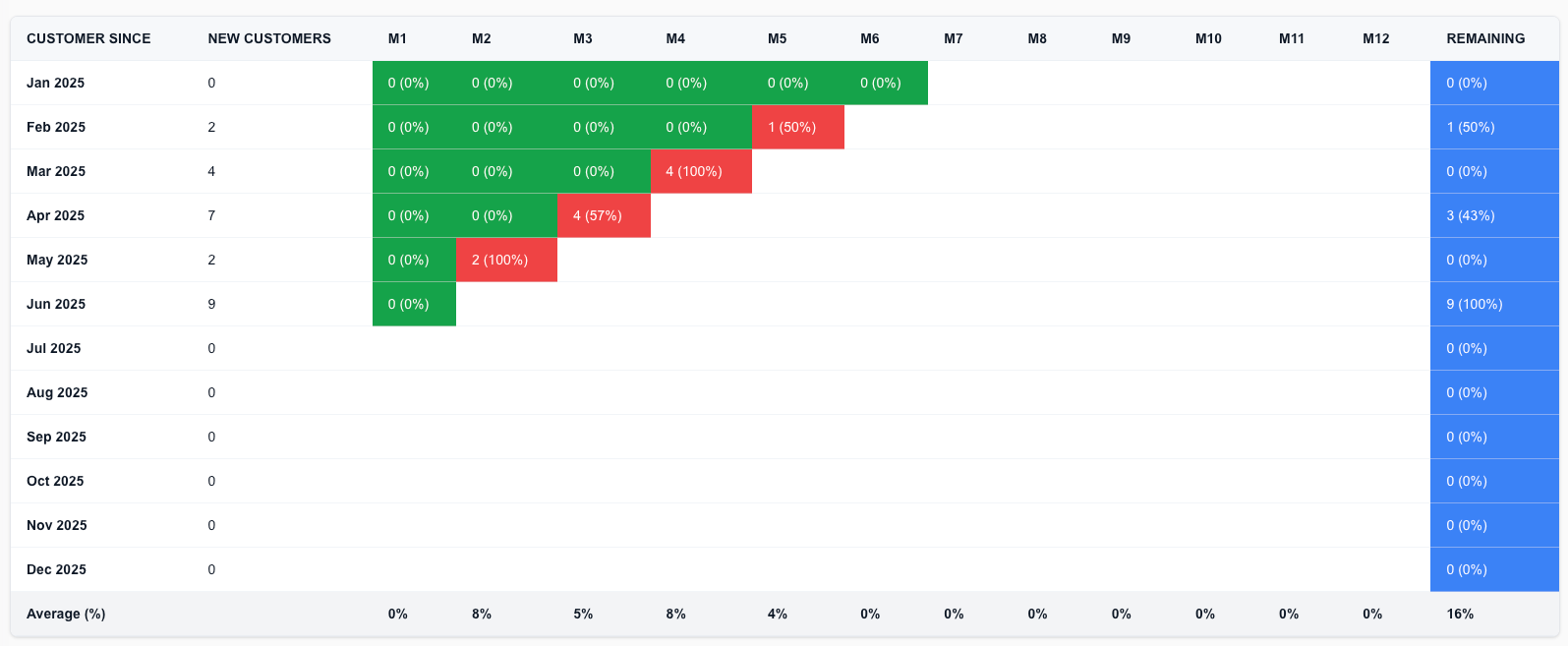
We’ve added a powerful new view to help you understand churn behavior over time — introducing the Churn Cohorts Dashboard.

🆕 What It Does

Each row in the dashboard represents a monthly cohort of new sign-ups.

You can now track:

  1. 🔁 Churn each month (M0–M12) – See how many customers dropped off each month after signing up

  2. 🔒 Remaining Active – Final column shows how many are still active after a full year

  3. 🎨 Color-coded for clarity

    • 🟩 Green = Low or no churn

    • 🟥 Red = High churn

    • 🟦 Blue = Remaining Customers

👀 Drill-Down Insights

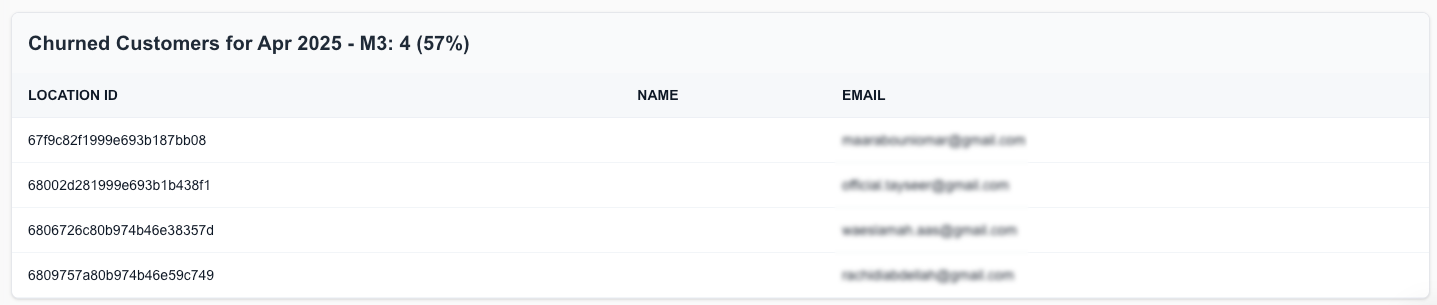
Click on any red churn cell to view the exact list of churned customers, including:

  1. Company Name

  2. Email

  3. Location ID

This helps you identify patterns and investigate churn events down to the account level.

💡 Why This Matters

  1. 📊 Visualize Retention Trends: Spot which cohorts are retaining well — and which aren’t

  2. 🧠 Improve Onboarding or Support: Use month-by-month drop-off patterns to refine your customer journey

  3. 🔎 Act on Specific Churns: Drill into real data and take immediate recovery actions

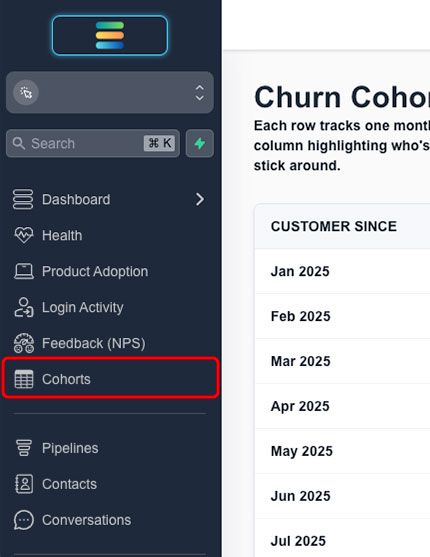
You’ll find this new feature in your GoCSM > Cohorts tab.

Need help interpreting your churn data or building recovery automations? Join a support session or visit help.gocsm.com.

NewDashboard

🔐 New: Login Activity Analytics page Now Available!

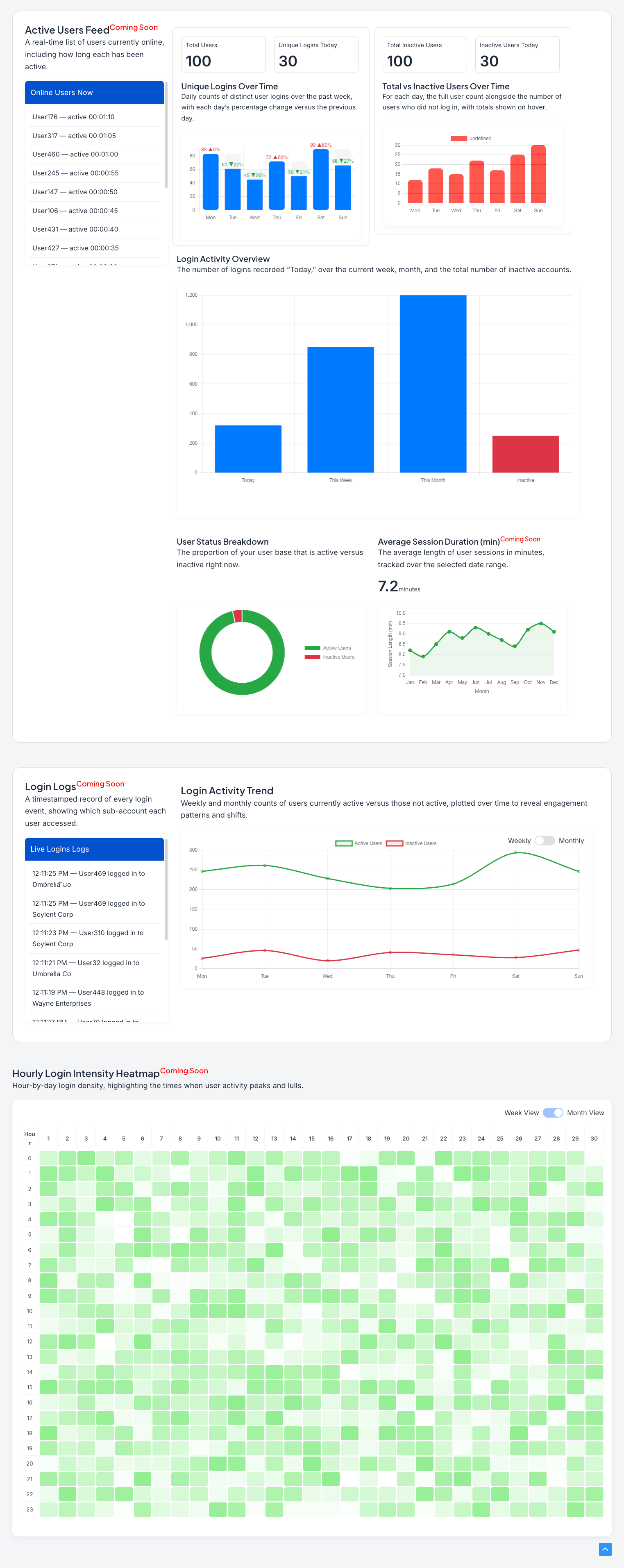
We’ve just released the all-new Login Activity Overview page — giving you powerful insights into user login patterns, engagement trends, and session behavior across your SaaS accounts.

🆕 What’s New

📈 Login Overview & Trends

  1. Total Logins Today, This Week, and This Month

  2. Track Inactive Users over time

  3. Visualize login counts across weekly and monthly timelines

🧑‍💻 User-Level Insights

  1. Login Logs Feed (Coming Soon) — Real-time list of logins with timestamps and sub-account info

  2. Online Users Now (Coming Soon) — See who’s currently active and how long they've been logged in

  3. User Status Breakdown (Coming Soon) — Pie chart of active vs inactive users

  4. Average Session Duration (Coming Soon) — See how long users stay active per session

🔥 Engagement Patterns

  1. Login Activity Trend — Compare active vs inactive user counts throughout the week/month

  2. Hourly Login Intensity Heat-map (Coming Soon) — See which hours of the day have the highest user activity

📊 Inactivity Monitoring

  1. Total inactive users and daily inactive breakdowns help you identify disengaged accounts fast

💡 Why This Matters

  1. 🚨 Detect Early Churn Signals: Spot inactive users before they drop off

  2. 📅 Optimize User Onboarding: Know when your users are logging in (and when they aren’t)

  3. 🧠 Boost Retention & Support: Prioritize accounts that need re-engagement

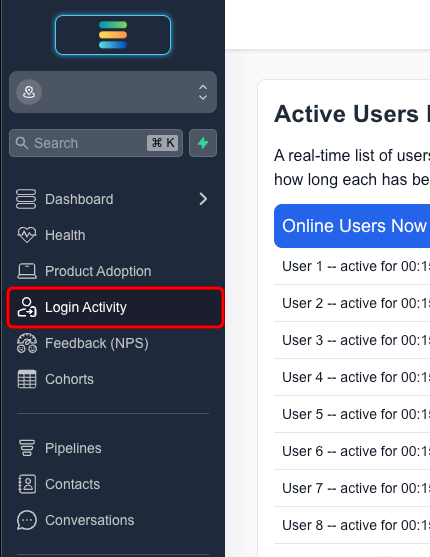
This dashboard is now live inside the Login Activity tab in your GoCSM account.

Some sections are marked as Coming Soon — stay tuned for real-time data views and log feeds!

NewDashboard

Earlier updates