
Changelog

Follow new updates and improvements to GoCSM.

🚀 New Feature Release: Embeddable White-labeled Customer Account Activity Center

Now you can give your clients full visibility into their own account usage—right inside your HighLevel dashboard.
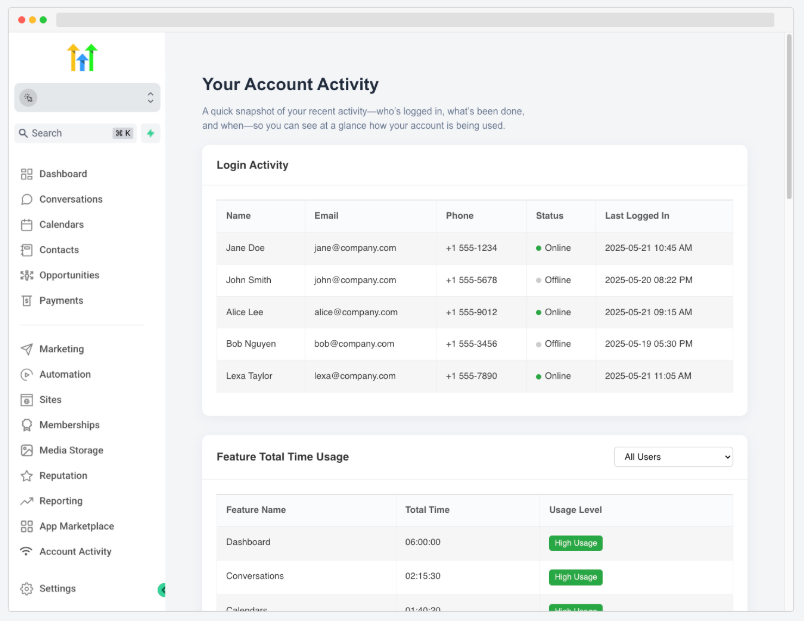
🌟 What’s New:

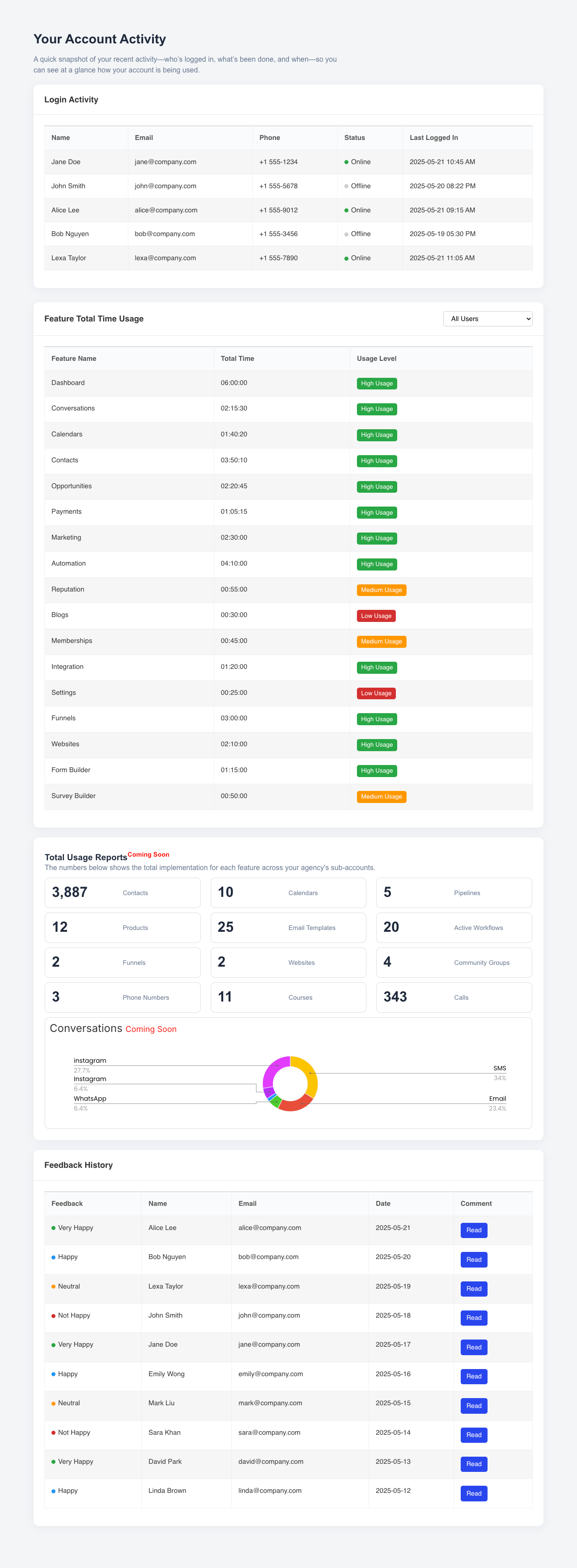
Your customers can now view:

  • Login Activity: See who logged in, when, and for how long

  • Feature Total Time Usage: Track how much time each user spent on every feature, with usage level indicators (High, Medium, Low)

  • Feedback History: See what users are saying with visual indicators for sentiment

  • Total Usage Summary (Coming Soon): Automatically generated metrics for contacts, calendars, funnels, websites, and more
🔧 How to Set Up:

  1. Copy your unique embed URL
    (e.g. https://activity.csmconnector.com/subaccount-activity/{{location.id}})

  2. Paste it into your Agency Settings → Custom Menu Links in HighLevel

  3. Label it "Account Activity" or anything you prefer
    ✔️ That’s it! Your customers will see the “Account Activity” tab directly in their side nav

This self-service experience improves transparency, reduces support tickets, and builds stronger trust with your clients—automatically branded as your own!
💬 Feedback Comments Now Saved to Custom Field

You asked, we delivered!

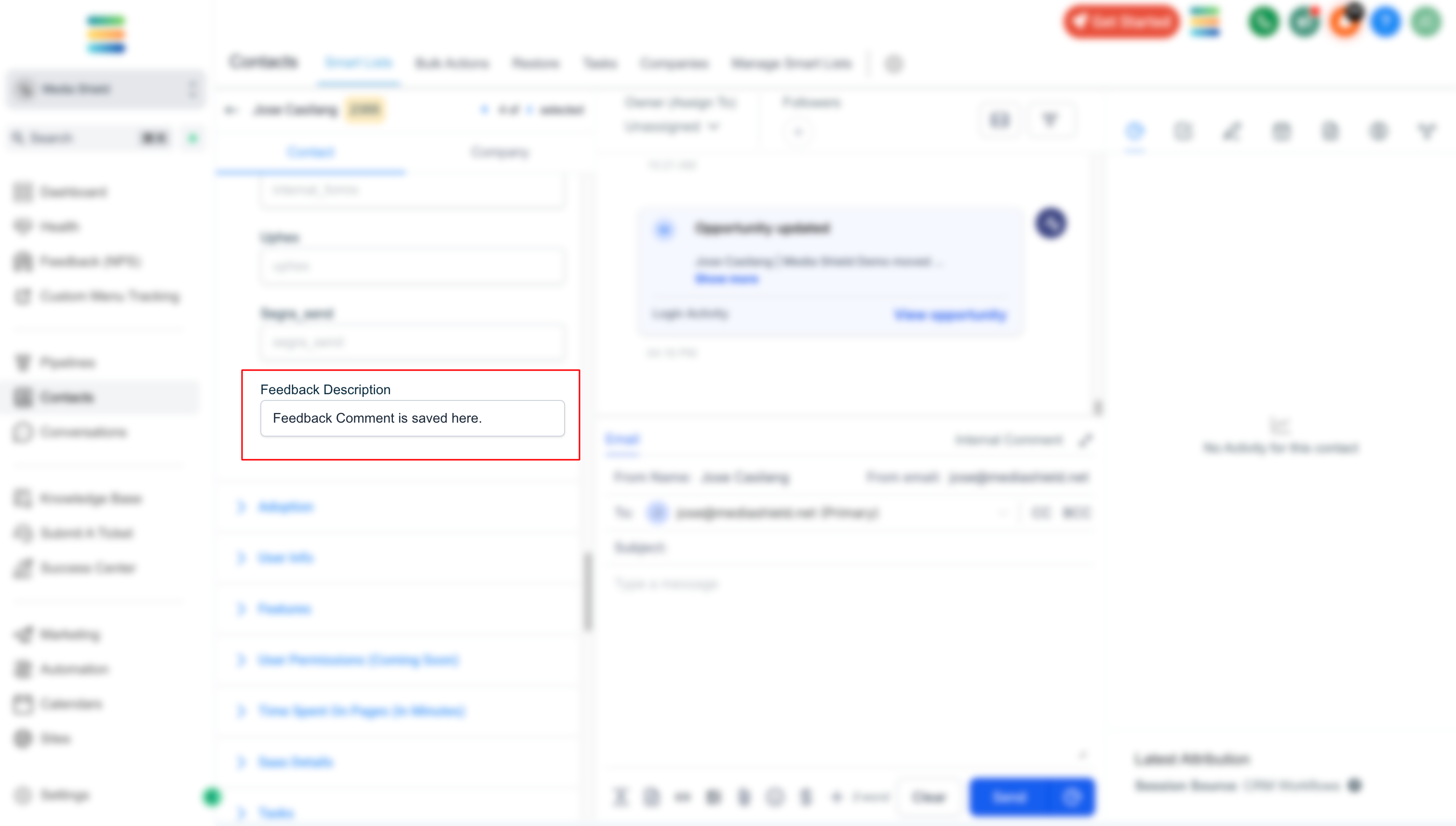
Feedback comments submitted via the GoCSM Feedback Widget are now automatically saved to a Custom Field on the contact record.

Screenshot 2025-04-24 at 6

🆕 What’s New

Every time a user submits a feedback comment, it’s now stored in a dedicated custom field.

This enables you to:

🔁 Send feedback data to third-party apps like Slack, Zapier, or CRMs.

🔔 Create detailed notifications for your team with the actual comment included.

📂 Keep a historical record of what your users are saying — all in one place.

💡Use Cases

🚨 Instant Slack Alerts:

Trigger real-time Slack messages with user comments when feedback is received.

🤝 Sales & Support Alignment:

Push detailed feedback into your CRM or Helpdesk tools for better customer context.

📊 Feedback Reporting:

Use the custom field for advanced segmentation and reporting inside your workflows.

This enhancement is live now — no extra setup required!

🌟 New Enhancement: Feedback Customization is Here!

Collecting feedback just got a major upgrade.

With the new Feedback Customization features in GoCSM, you now have full control over the look, feel, and behavior of your Request Feedback Widget — so it perfectly matches your brand and strategy.

Whether you're collecting feedback in-app or on your client portal, this enhancement gives you the flexibility to make every touchpoint feel personalized and purposeful.

Screenshot 2025-04-17 at 10

🆕 What’s New

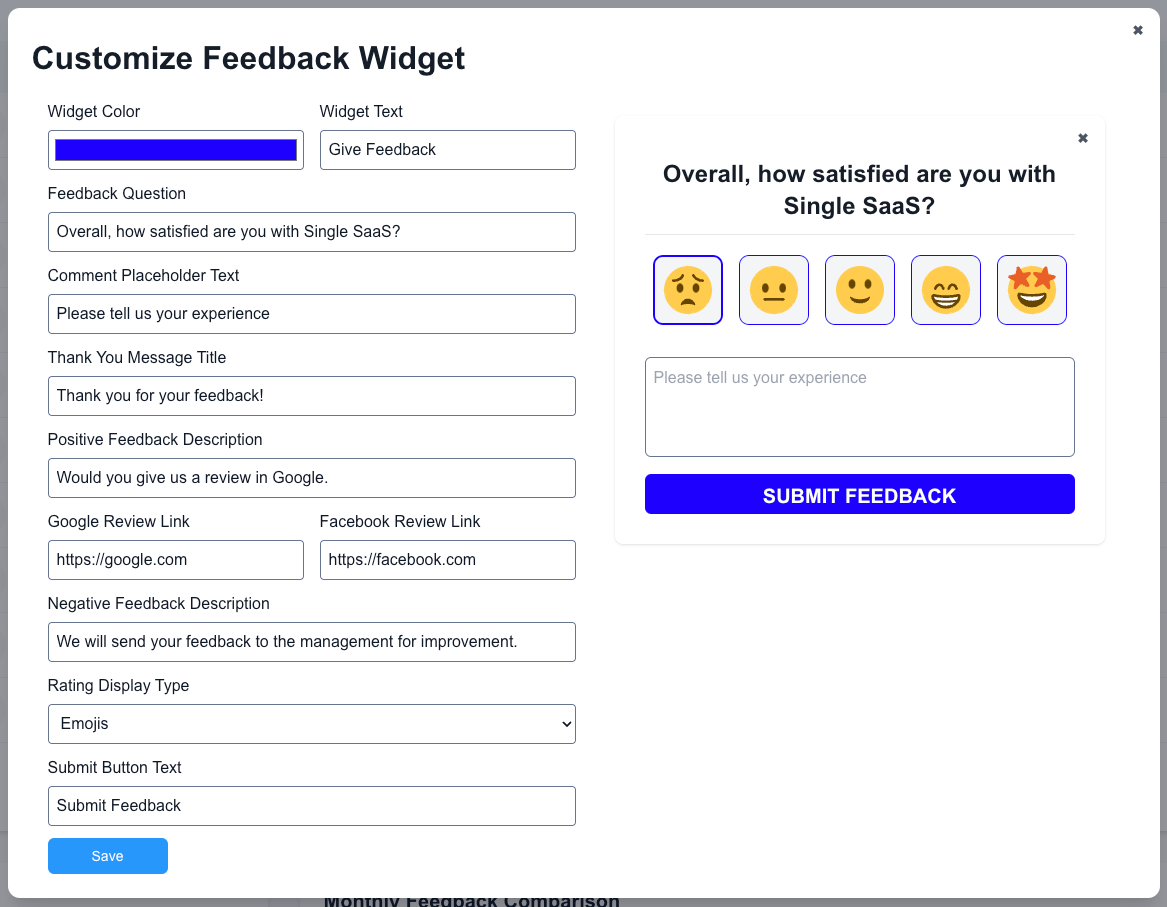
You can now customize the Feedback Widget by:

🎨 Changing the Widget Button Color

Match it to your brand or platform theme for a seamless experience.

😃 Choosing Stars or Emojis

Set the tone of your feedback request — go classic with stars or casual with emojis.

✍️ Custom Headlines & Thank You Messages

Write your own feedback prompt and thank your users in your brand voice.

🔗 Linking Google or Facebook Review Pages

Automatically redirect satisfied users to leave a public review — boosting your reputation where it matters most.

💼 Use Cases

Brand Consistency:

Agencies and SaaS platforms can ensure their feedback request matches the branding of their dashboard or app.

Public Review Collection:

Use positive internal feedback as a launchpad to grow your Google or Facebook reviews.

Tone Control:

Choose emojis for a light and friendly experience, or stars for a more structured one — depending on your audience.

Multilingual Messaging:

Write the widget content in any language to localize the experience for different regions or client types.

✅ Why This Matters

🔁 Higher Engagement:

A branded and friendly widget is more likely to get clicked — which means more feedback from your customers.

🌍 Boost Public Reputation:

With direct links to Google and Facebook reviews, you can turn internal wins into public testimonials.

🧠 Informed Strategy:

Tailored feedback messages let you guide customers into giving actionable, relevant responses.

🚀 Getting Started

Go to your Feedback (NPS) > Customize

Adjust the color, rating type, and custom messages

Add your Google or Facebook review links

Enable the Request Feedback in Health

Start collecting feedback that feels like you

This update is now available for all GoCSM users.

Need help configuring it? Check the Help Docs or join a support session.

NewFeedback (NPS)