📉 New: GoCSM Churn Cohorts
We’ve added a powerful new view to help you understand churn behavior over time — introducing the Churn Cohorts Dashboard.
🆕 What It Does
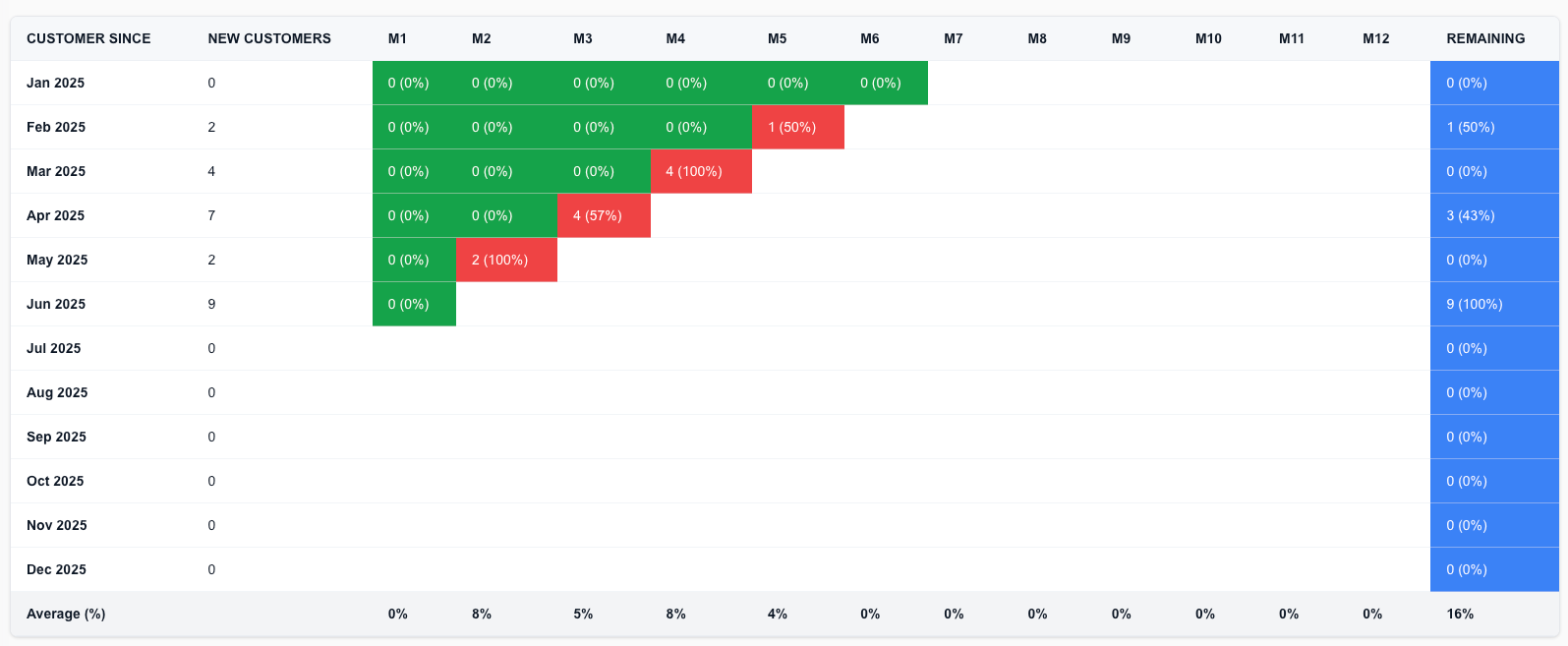
Each row in the dashboard represents a monthly cohort of new sign-ups.
You can now track:
🔁 Churn each month (M0–M12) – See how many customers dropped off each month after signing up
🔒 Remaining Active – Final column shows how many are still active after a full year
🎨 Color-coded for clarity
🟩 Green = Low or no churn
🟥 Red = High churn
🟦 Blue = Remaining Customers
👀 Drill-Down Insights
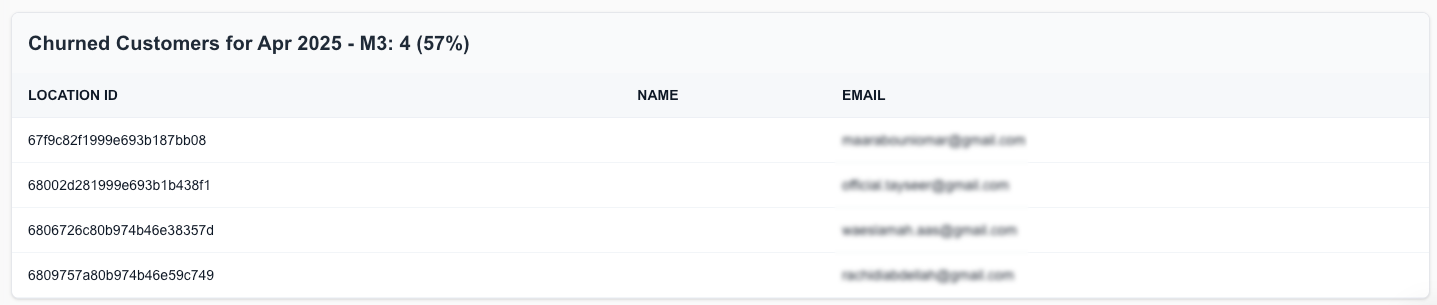
Click on any red churn cell to view the exact list of churned customers, including:
Company Name
Email
Location ID
This helps you identify patterns and investigate churn events down to the account level.
💡 Why This Matters
📊 Visualize Retention Trends: Spot which cohorts are retaining well — and which aren’t
🧠 Improve Onboarding or Support: Use month-by-month drop-off patterns to refine your customer journey
🔎 Act on Specific Churns: Drill into real data and take immediate recovery actions
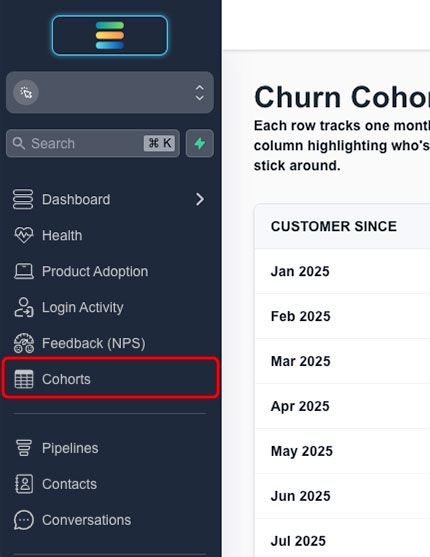
You’ll find this new feature in your GoCSM > Cohorts tab.
Need help interpreting your churn data or building recovery automations? Join a support session or visit help.gocsm.com.