🧠 New Health Overview UI is Now Live!
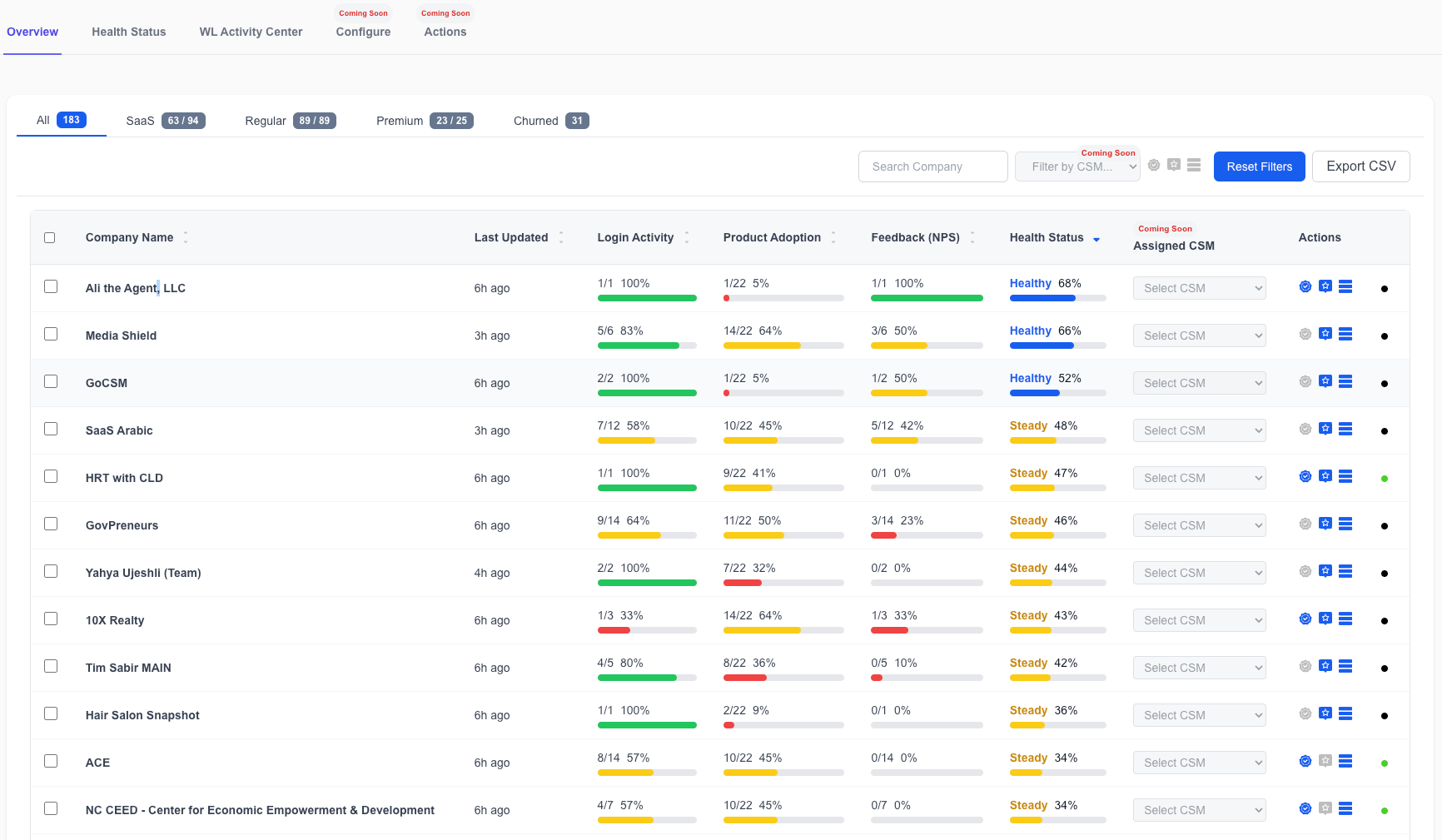
We’ve updated the Health tab in GoCSM with a clean new design and more actionable insights — giving you deeper visibility into customer health at a glance.
🆕 What’s New in the Health Overview
📊 Health Status Breakdown per Company
Now shows detailed metrics for:
Login Activity
Product Adoption
Feedback (NPS)
Overall Health Score (with visual indicators)
🎯 Simplified Controls
The Enable Feedback, Set Premium, and Enable GoCSM Widget toggles are now compact icons — giving the interface a cleaner, more focused look.
Company Status (Regular, Active or Churned) are minimize to dots:
Black Dot - Regular
Green Dot - Active
Red Dot - Churned
SaaS Plans are also minimized into the SaaS icon color coded with colors you set on your SaaS Plans in the Plans Configuration.
🔍 Smart Tools Still Included
✅ Search & Filters
✅ Bulk Actions
✅ Export to CSV
✅ Sorting
🚧 Coming Soon
👤 Assign CSM – Directly assign a Customer Success Manager to any account
🧰 Filter by CSM – Easily view accounts based on the assigned team member
💡 Why This Matters
🧠 Better Visibility – Instantly understand the health of each sub-account with component scores.
⚡ Faster Action – Identify at-risk accounts without digging into multiple views.
📥 Cleaner UX – Focus on insights, not interface clutter.
The new UI is now live under GoCSM > Health
Need help interpreting health scores or building automations from them? Join a support session or visit help.gocsm.com.