February 19th, 2026
We are excited to introduce Login Activity, a behavioral analytics feature that tracks how sub-accounts and users engage with your platform.
This update unlocks visibility into the following areas:
Who is logging in: Track both sub-accounts and individual users.
When they are logging in: See timestamps, frequency patterns, and heatmaps.
Engagement Depth: Monitor session duration and time spent in the app.

👉 Learn More About Login Activity Overview

👉 Learn More About Login Activity Sub-Accounts

👉 Learn More About Login Activity Users
📊 Frequency Distribution & Heat maps Visualize your entire user base by engagement level from "Heavy" users to those who are "Ghosting." The Hourly Activity Heat map helps you identify core working hours and utilization rates.
🚦 Smart Account Statuses
Automatically categorize accounts based on their last login:
Active: Logged in within the last 7 days.
At Risk: No login for 8–30 days.
Dormant: No activity for more than 30 days.
🛡️ Privacy-First Architecture We focus exclusively on behavioral analytics. We do not track IP addresses, device types, or geolocation, reducing privacy concerns and simplifying compliance.
⏱️ Accurate "Active Time" Tracking We use heartbeat tracking that pauses when a user is idle or hides the tab, ensuring you measure actual engagement rather than just open browser windows.
Identify Churn Risk Early Spot accounts that haven't logged in for weeks ("Dormant" or "Ghosting") so you can reach out before they cancel.
Spot Upsell Opportunities Find "Heavy" users who are deeply engaged but on lower-tier plans, signaling a perfect moment for an upgrade conversation.
Prioritize Support Focus your Customer Success efforts based on actual engagement data rather than just revenue, ensuring power users stay happy.
👉 [Click here to access the new Login Activity Dashboard]
Adjust your views: You can toggle settings to include churned accounts or agency admins in your data views via the Settings panel.
Understanding delays: Data is buffered for high performance, so expect a 30-second to 2-minute delay for new logins to appear.
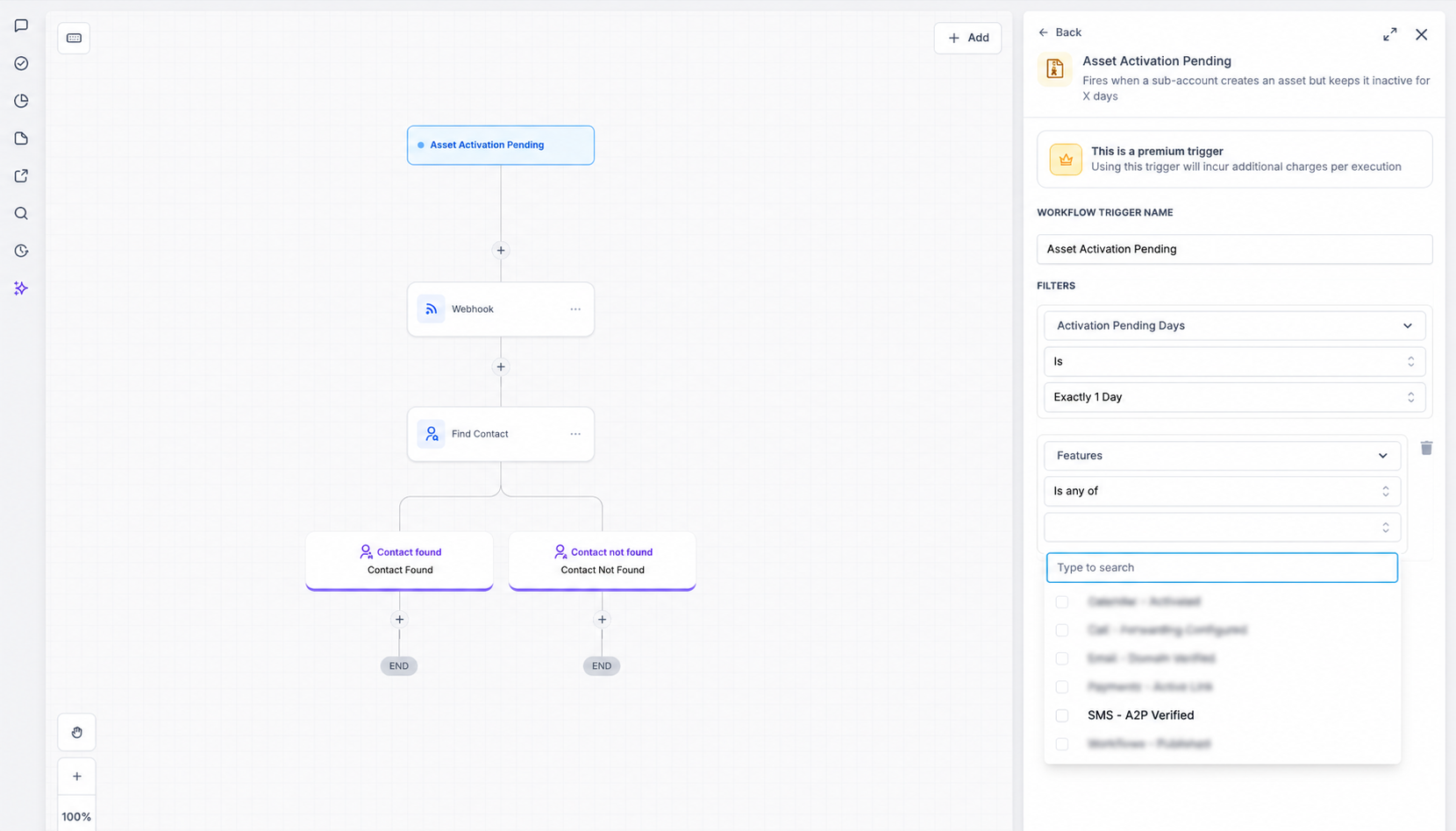
[Coming VERY Soon] A custom Workflow Trigger for GoCSM v3 called “User not logged in since” giving you ability to build your own bespoke retention workflows that reactivate users who are not logging in after X days.

💡 Have ideas for how we can improve these metrics? For questions, feedback, or feature requests, please contact the Product team or your CSM.
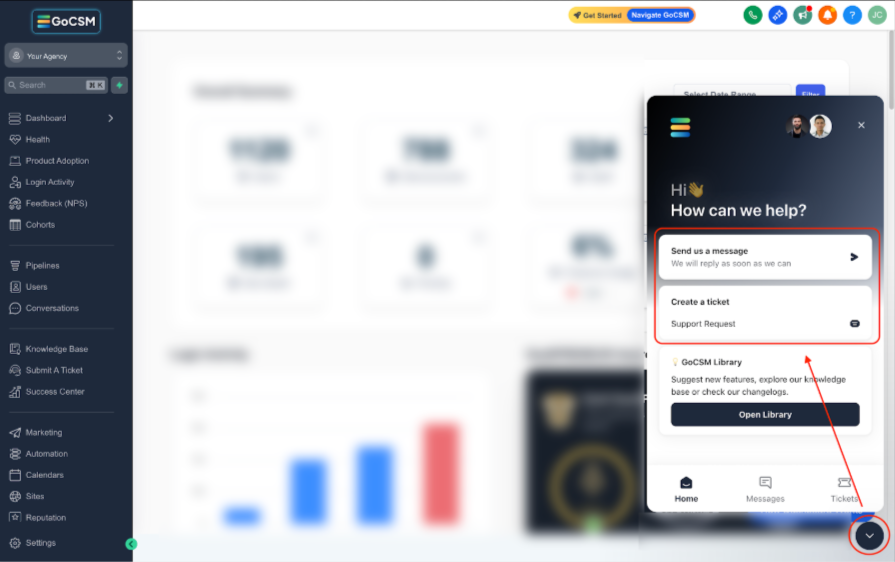
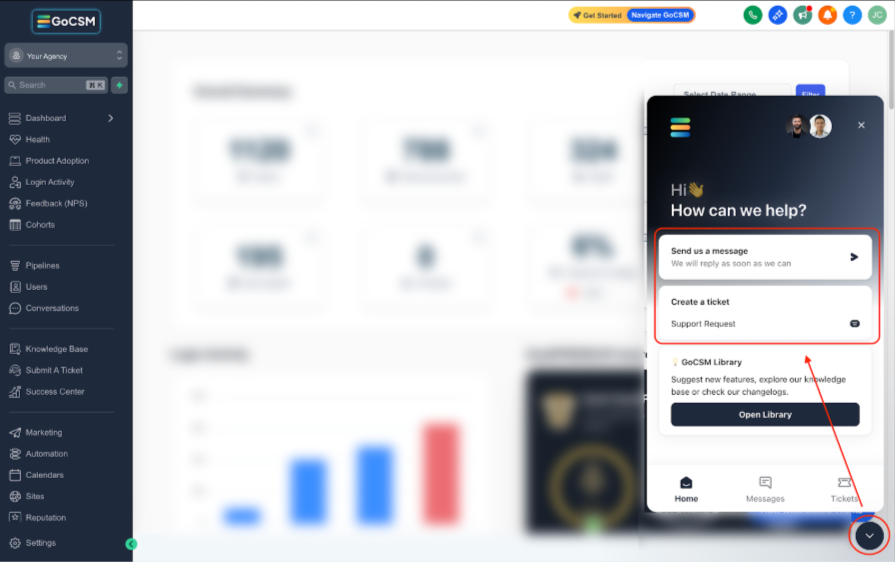
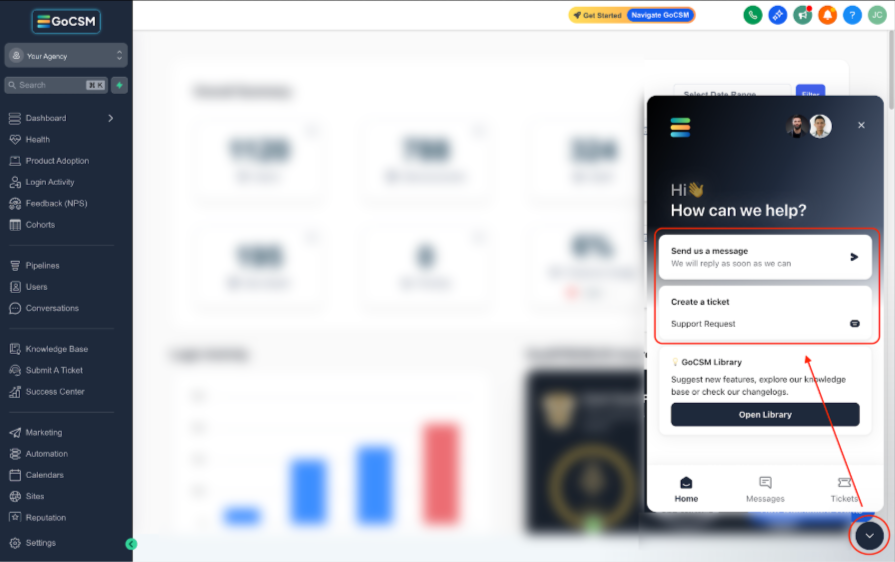
💬 Reach out or submit a ticket through our Chat Widget, we're here to help!

February 18th, 2026
The Users tab provides the most granular view of engagement, tracking exactly who is logging in, how often, and their intensity of usage.
This update helps you answer:
Who are the champions? Identify users with high activity levels.
Who is struggling? Spot users with low activity who might need training.
Are seats being used? Verify if the individual users you sold to are actually logging in.

📊 User Engagement Levels

We categorize users based on their frequency of login days to help you understand adoption depth:
Highly Active: 26+ days logged in.
Moderately Active: 15–25 days logged in.
Low Activity: 6–15 days logged in.
Ghosting: 5 days or fewer logged in.
⚡ Add to Workflow (Bulk Action) Select specific users and use the "Add to Workflow" feature to send targeted training emails, satisfaction surveys, or "We miss you" messages based on their activity level.

⏱️ Accurate Time Tracking We track total time spent in the app using "heartbeats," ensuring we capture active usage while excluding idle time or hidden tabs.

Identify Power Users
Find "Highly Active" users who spend the most time in your app. These are your best candidates for reviews, case studies, and beta testing.
Monitor Training Impact
See if users move from "Low Activity" to "Moderately Active" after a training session.
Automated Nurturing
Use the workflow feature to automatically nurture users who are "Ghosting" before they give up on the platform entirely.
💬 Reach out or submit a ticket through our Chat Widget — we're here to help!

February 18th, 2026
The Sub-Accounts tab takes your analysis a level deeper, allowing you to track behavioral analytics for every single account in your portfolio.
This update unlocks visibility into the following areas:
Account-Level Health: Instantly see which companies are engaging and which are at risk of churning.
Smart Filtering: Sort by status to prioritize your outreach.
Automated Actions: Trigger workflows directly from the dashboard to re-engage customers.

🚦 Smart Account Statuses
We classify every sub-account based on their recency of login:
Active: Logged in within the last 7 days.
At Risk: No login for 7–30 days.

⚡ Add to Workflow (Bulk Action) Need to take action? Select multiple sub-accounts and click "Add to Workflow" to instantly enroll them in an automated email sequence or task list. This is perfect for re-engaging "At Risk" clients or sending rewards to "Active" ones.

🔍 Granular Filtering Easily sort your list by status to generate a prioritized call list for your CSMs or Sales team.

Proactive Risk Mitigation
Don't wait for a cancellation email. If a high-value account slips into "At Risk" status, you can trigger a re-engagement workflow immediately.
Prioritize Your Day
Stop checking in on everyone randomly. Focus your energy on the accounts that actually need help.
Targeted Upsells
Identify "Active" accounts that are ready for the next level of service.
💬 Reach out or submit a ticket through our Chat Widget — we're here to help!

February 18th, 2026
The Overview tab is your new command center. It aggregates millions of data points into a simple, visual dashboard that answers one critical question: Are my accounts actually using the product?
Instead of digging through logs, you get instant visibility into the health of your entire portfolio through four distinct sections.


Located at the very top, these cards give you an instant snapshot of your retention risks. We automatically categorize every account based on their last login date:
Active Accounts: Accounts who have logged in within the last 7 days.
At Risk Accounts: Accounts who haven't logged in for 7–30 days. These are your immediate intervention opportunities.
Dormant Accounts: Accounts with no activity for more than 30 days. These are high-churn risks.

Below the scorecards, the Login Frequency bar chart breaks down your accounts base by intensity of usage. It helps you distinguish between accounts with power users vs casual visitors:
Highly Active: Accounts engaged on 26+ days of the month.
Moderately Active: Engaged on 15–25 days.
Low Activity: Engaged on 6–15 days.
Ghosting: Engaged on 5 days or fewer.

The Analytics Trends line chart visualizes momentum over time. You can toggle between "Active Accounts, Active Users, Inactive Accounts or Inactive Users" to see if adoption is trending upward or if you have a sudden drop-off in engagement that requires investigation.

At the bottom of the dashboard is the Hourly Activity Heatmap. This visual grid shows exactly when your users are online during the week. Use this to identify utilization rates and plan your support coverage around your customers' core working hours.
Instant Risk Assessment
You no longer need to run complex reports to find churn risks. The "At Risk" and "Dormant" counters tell you exactly how many accounts need saving today.
Prove Value
The Frequency and Heatmap charts are perfect for QBRs (Quarterly Business Reviews), showing your clients exactly how their teams are utilizing the software.
💬 Reach out or submit a ticket through our Chat Widget — we're here to help!

February 3rd, 2026
The Revenue Intelligence Dashboard helps you understand how revenue, cost, margin, renewals, and risk work together across your customers.
This update introduces a clearer way to:
Track revenue trends
See profitability, not just totals
Identify growth, decline, and churn risk early
Take action at the account level

👉 Learn more about Revenue Intelligence Here

👉 Learn more about Revenue Intelligence Sub-accounts

👉 Learn more about Revenue Intelligence Churn Analysis
📊 Clear revenue and profit visibility
See your total revenue, cost, and margin across all sub-accounts in one place. Quickly understand what’s growing, what’s slowing down, and where profit is coming from without digging into reports.
🧠 Built-in growth and risk signals
Easily spot growing accounts, plan upgrades, and upcoming renewals, while also catching early warning signs like declining spend, downgrades, failed payments, and low wallet balances.
🔍 Account-level revenue insights
Click into any account to see how revenue and costs break down by product, review wallet activity, payment history, and track plan changes over time.
📉 Clear churn insights
Understand churn trends, see which plans are most affected, and identify patterns that can help reduce cancellations and improve retention.
🔄 Turn insights into action
Filter and tag accounts based on revenue signals, trigger GoHighLevel workflows, request feedback, or export data when deeper review is needed.

🌍 Works with your existing payments setup
Revenue tracking and retention signals work regardless of your payment provider, so you can monitor performance and act on risk without changing your billing system.
💡 See the full picture in one place
Understand revenue, cost, margin, and churn together without juggling spreadsheets or jumping between tools.
🚨 Stay ahead of risk, not behind it
Built-in signals help you spot issues early so you can step in before revenue is lost or customers disengage.
⏱️ Spend time where it matters most
Automation and bulk actions reduce manual work, allowing your team to focus on high-impact customer conversations.
👉 https://docs.gocsm.com/en/articles/4978502
💬 Reach out or submit a ticket through our Chat Widget — we're here to help!

🔥 Workflow Triggers - Use workflow triggers for important events such as customer churned, payment failure, upcoming annual renewal, etc., to build your own customer retention workflows.
February 2nd, 2026
The Churn Analysis tab helps you understand who is leaving and why, so you can refine your onboarding and renewal strategies.

📊 Churn KPIs & trends – See total churned accounts and churn rate for the selected period and compare against the previous period.

📃 Churned accounts list – Review churned customers with sign‑up date, churn date, active duration, plan and lost revenue. Use filters and selections to target win‑back campaigns or analyze common patterns.

🕒 Churn timeline – Visualize churn events on a daily, weekly or monthly timeline to identify spikes around renewals or feature changes.

🎂 Churn by customer age – Cohort chart shows whether customers churn early (0‑1 months) or later in their lifecycle, spotlighting onboarding or long‑term engagement issues.

🗂️ Churn by plan – Doughnut chart breaks down churned accounts by plan tier, highlighting which subscription tiers have the highest cancellations.

🧠 Reduce churn – Evidence‑based insights help you fix root causes and keep more customers.
🧰 Prioritize retention efforts – Know whether to invest in onboarding improvements or long‑term engagement strategies.
📈 Recover lost revenue – Identify churned customers with high value and tailor win‑back campaigns to restore revenue.
Adoption Drop — See feature usage drop‑off prior to cancellation.
Login Activity — Track last login dates (e.g., detect long inactivity leading up to churn).
Feedback Score — Correlate negative NPS/feedback patterns with churned accounts.
Spending Habits — Analyze wallet spend decline (SMS/Email) before churn.
👉 https://docs.gocsm.com/en/articles/4978502
💬 Reach out or submit a ticket through our Chat Widget — we're here to help!

February 2nd, 2026
The Sub-accounts tab helps you understand how each customer is performing financially so you know who needs attention and why.
Instead of guessing, you can quickly see which accounts are growing, which are at risk, and where to take action.

📊 Signal cards for growth & risk – At the top of the table, you’ll see counts of growing accounts, plan upgrades, upcoming renewals, non‑SaaS accounts, declining accounts, plan downgrades, failed payments and low wallet balances.

🔍 Powerful table & filters – Search by name/email and filter by plan, product, billing period, tag or renewal window. Sort columns, group by plan or health status and save your preferred column arrangement for future sessions.

🏷️ Actionable tags – Accounts are automatically tagged (e.g., Declining Spend, Increasing Spend, Payment Failed, Renewal Due, Low Wallet). Filter by tags and follow the priority framework (daily/weekly/monthly) to know which customers need attention first.

⚡ Bulk actions & exports – Select multiple accounts to trigger GoHighLevel workflows or request feedback. The bulk‑action bar appears at the bottom of the table, and you can export the current view to CSV for offline analysis.


🔎 Drill into account details – Clicking an account opens a detailed page showing lifetime revenue, costs, margin, wallet balance, product breakdown, payment history and plan changes.

🧑💼 Prioritize effectively – Tags and filters help Customer Success teams work smarter by focusing on accounts that need attention right now.
🔄 Engage at scale – Bulk workflows and feedback requests let you reach many accounts at once while still personalising outreach.
🚀 Grow revenue & reduce churn – By pinpointing upsell candidates and at‑risk accounts, you can increase lifetime value and prevent cancellations.
👉 https://docs.gocsm.com/en/articles/4978502
💬 Reach out or submit a ticket through our Chat Widget — we're here to help!

February 2nd, 2026
The Overview tab puts all your revenue and cost data in one view so you can instantly understand how your business is performing.

🧮 Financial Overview – Interactive line chart showing revenue, cost and margin over time with daily/weekly/monthly granularity.

🧾 Revenue by SaaS Plan – Bar chart ranking each SaaS plan (Your Agency Plans in the SaaS Configurator V1/V2) by accounts and gross profit so you can see which tiers drive your revenue.

🧩 Revenue by add‑ons & re‑billing – Breakdown of SaaS subscriptions, add‑on subscriptions and usage‑based wallet items (e.g., SMS) with cost vs margin bars.

🔎 Adjust your view – Filter the entire Overview by plan or date range to compare month‑over‑month performance or zoom into specific segments. Expand categories to see individual add‑on or usage items for deeper insights.

🔍 Instant visibility – Leaders can quickly gauge portfolio health without opening a spreadsheet or running a report.
🎯 Focus your efforts – Identify which plans and products produce the most profit so you can double down on what’s working.
📊 Data‑driven strategy – Track how revenue and cost structure change over time to inform pricing and investment decisions.
👉 https://docs.gocsm.com/en/articles/4978502
💬 Reach out or submit a ticket through our Chat Widget — we're here to help!

November 13th, 2025
We’ve rolled out major improvements to the Feedback Widget, giving you more control, flexibility, and opportunities to turn customer insights into action.
Advanced Feedback Customization is only available for GoCSM Plus subscribers.
🙏 Separate “Thank You” Messages for Positive & Negative Feedback
Deliver personalized follow-up experiences. Show appreciation to happy customers and guide dissatisfied ones to support.

🌟 Google & Facebook Review Links for Positive Feedbacks
Automatically invite satisfied users to share public reviews — boost your online presence and credibility effortlessly.

🆘 Support/Help CTA for Negative Feedbacks
Convert unhappy feedback into retention opportunities with built-in CTAs linking directly to your support resources or help desk.

🎁 Enhanced “Spin the Wheel” Options
Offer flexible reward setups after positive feedback — give discounts, coupons, credit-based rewards, etc...

🔍 Spin the Wheel Results are now visible in the Feedback Overview section, letting you track and review user reward outcomes alongside their feedback.

⏱️ Widget Cooldown – Feedback Submitted
Control when the feedback widget reappears after a submission — perfect for maintaining engagement without overwhelming users.
🚫 Widget Cooldown – Closed
Set how long the feedback widget stays hidden after a user intentionally closes it, giving them breathing room before showing it again.

🎯 Drive more meaningful engagement from users
💬 Personalize the feedback journey for better response rates
⚙️ Automate review collection, rewards, and follow-up actions
🧠 Reduce survey fatigue with smarter display settings
Explore these new options in your GoCSM Dashboard → Feedback (NPS) → Customize and start customizing today!

Need help enabling the new advanced feedback customization? Book a support session in your Success Center or reach out and submit a ticket through our chat widget:

November 13th, 2025
We’ve made it easier than ever to help customers recover failed payments!
When a subscription payment fails, GoCSM can now automatically send the customer their invoice link, allowing them to update their payment method immediately.

🔗 Auto-Send Update Payment Link
The system now includes a direct invoice link in notifications triggered by a Payment Failed event, making it easier for customers to update their payment details.
⚙️ Fully Automated Through Workflows
Insert the link into your Payment Failed workflow emails or SMS, providing customers with a quick and guided way to resolve payment issues.
✉️ Add to Customer Touch Emails
Use this custom field to include the direct update link in your Payment Failed outreach emails:{{ contact.update_payment_link }}
👤 View Saved Update Payment Links in User Profiles
Every generated payment update link is stored per user:
Users → Select a Payment Failed User → SaaS Details → Update Payment Link

🚫 Reduce Churn Faster – Empower customers to fix failed payments instantly
⚡ Better Customer Experience – No back-and-forth emails needed
🧠 Smarter Automation – Add payment-recovery links to all your existing workflows
💬 Reach out or submit a ticket through our Chat Widget — we're here to help!