📊 Login Activity Overview: The Pulse of Your Customer Base
The Overview tab is your new command center. It aggregates millions of data points into a simple, visual dashboard that answers one critical question: Are my accounts actually using the product?
Instead of digging through logs, you get instant visibility into the health of your entire portfolio through four distinct sections.
Whats New
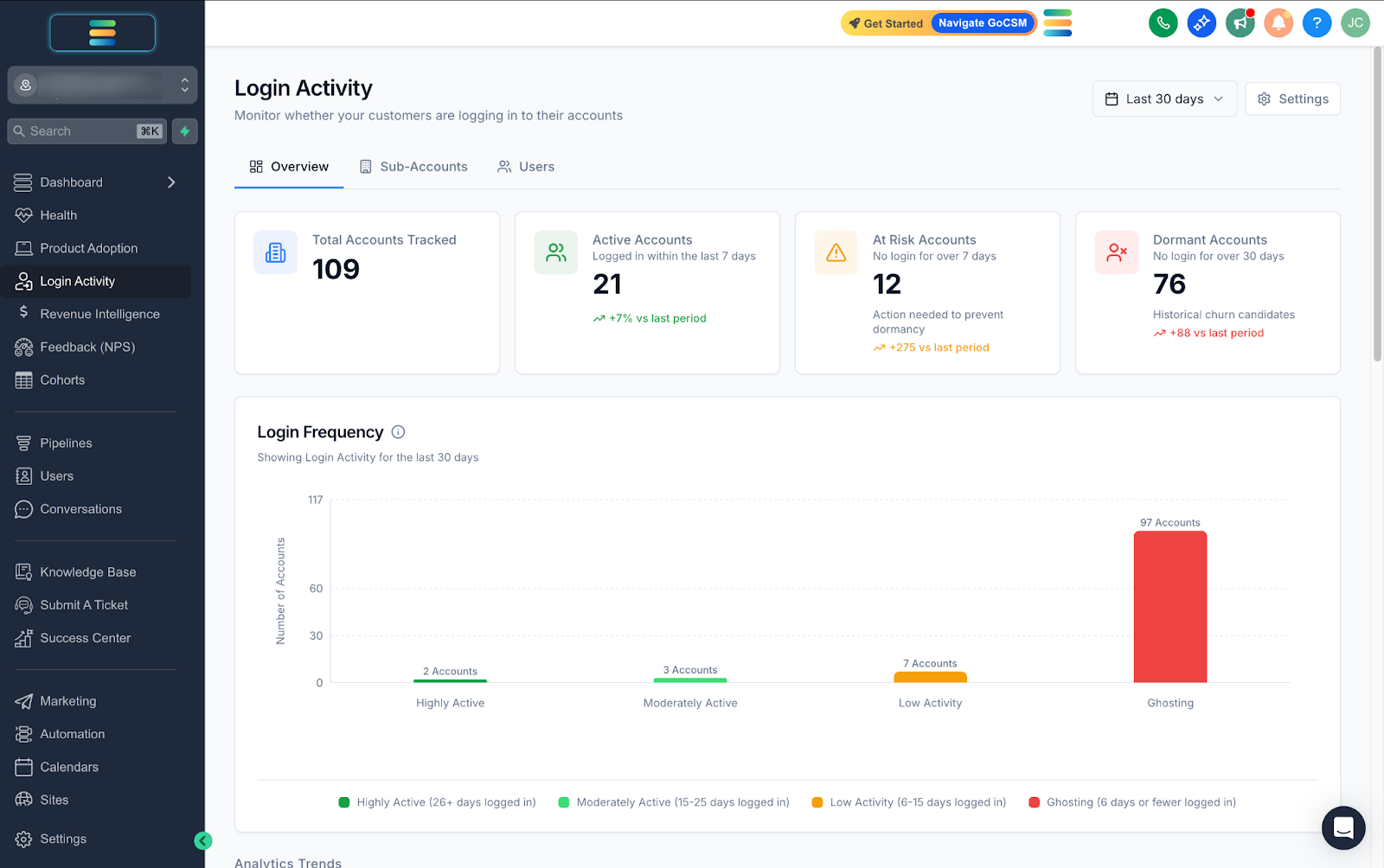
1. The Login Activity Health Scorecards

Located at the very top, these cards give you an instant snapshot of your retention risks. We automatically categorize every account based on their last login date:
Active Accounts: Accounts who have logged in within the last 7 days.
At Risk Accounts: Accounts who haven't logged in for 7–30 days. These are your immediate intervention opportunities.
Dormant Accounts: Accounts with no activity for more than 30 days. These are high-churn risks.
2. Login Frequency Distribution
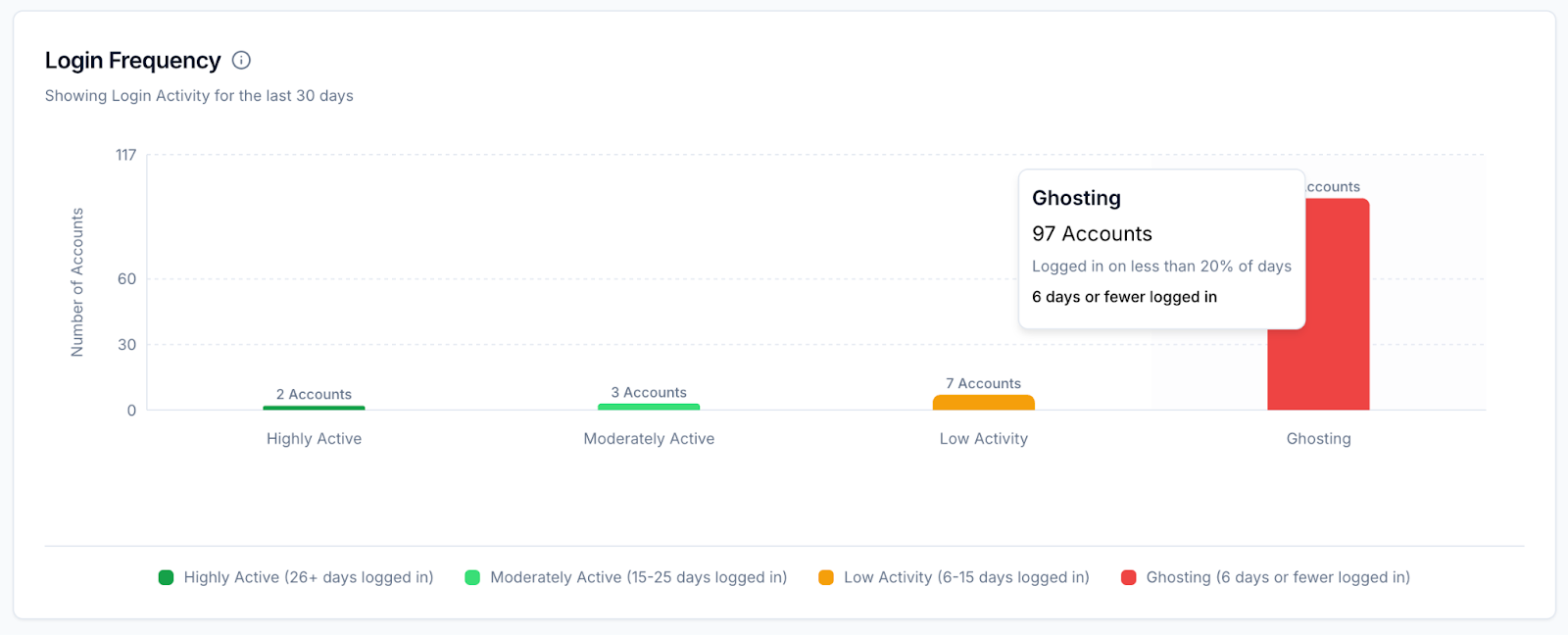
Below the scorecards, the Login Frequency bar chart breaks down your accounts base by intensity of usage. It helps you distinguish between accounts with power users vs casual visitors:
Highly Active: Accounts engaged on 26+ days of the month.
Moderately Active: Engaged on 15–25 days.
Low Activity: Engaged on 6–15 days.
Ghosting: Engaged on 5 days or fewer.
3. Analytics Trends
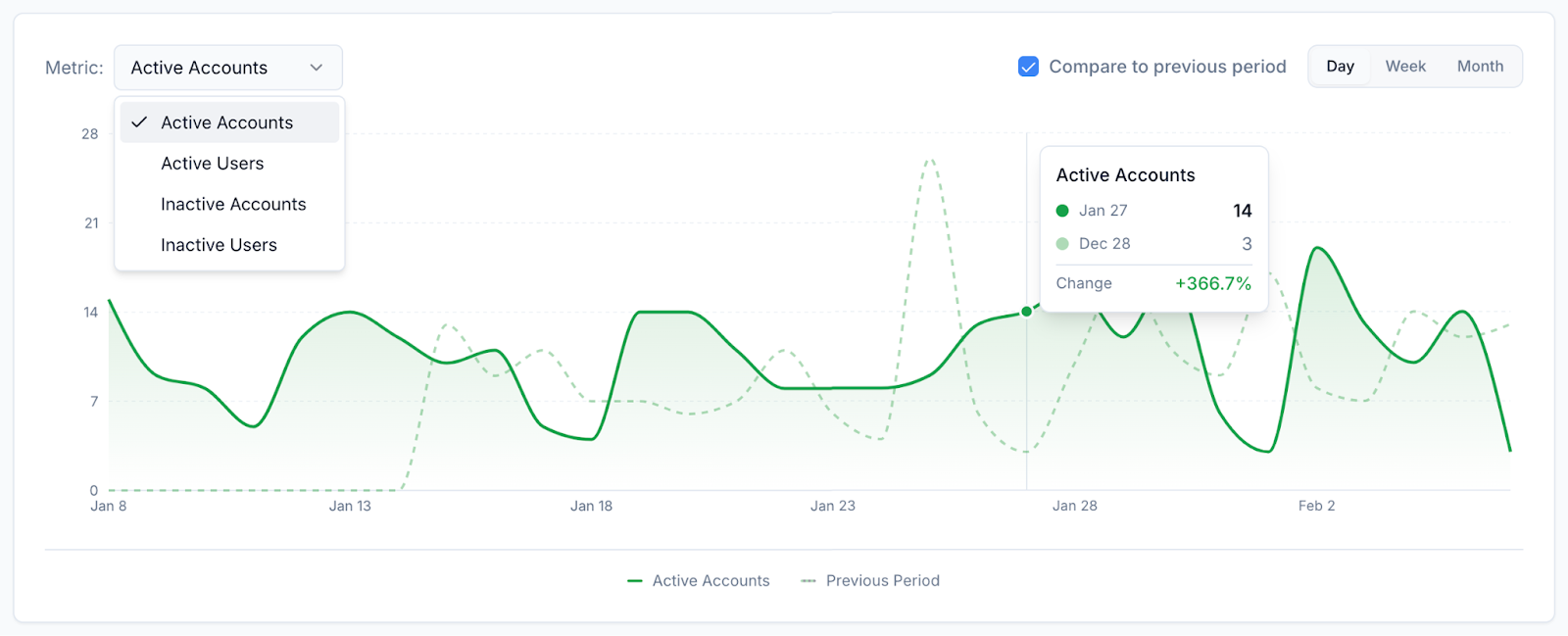
The Analytics Trends line chart visualizes momentum over time. You can toggle between "Active Accounts, Active Users, Inactive Accounts or Inactive Users" to see if adoption is trending upward or if you have a sudden drop-off in engagement that requires investigation.
4. Hourly Activity Heatmap
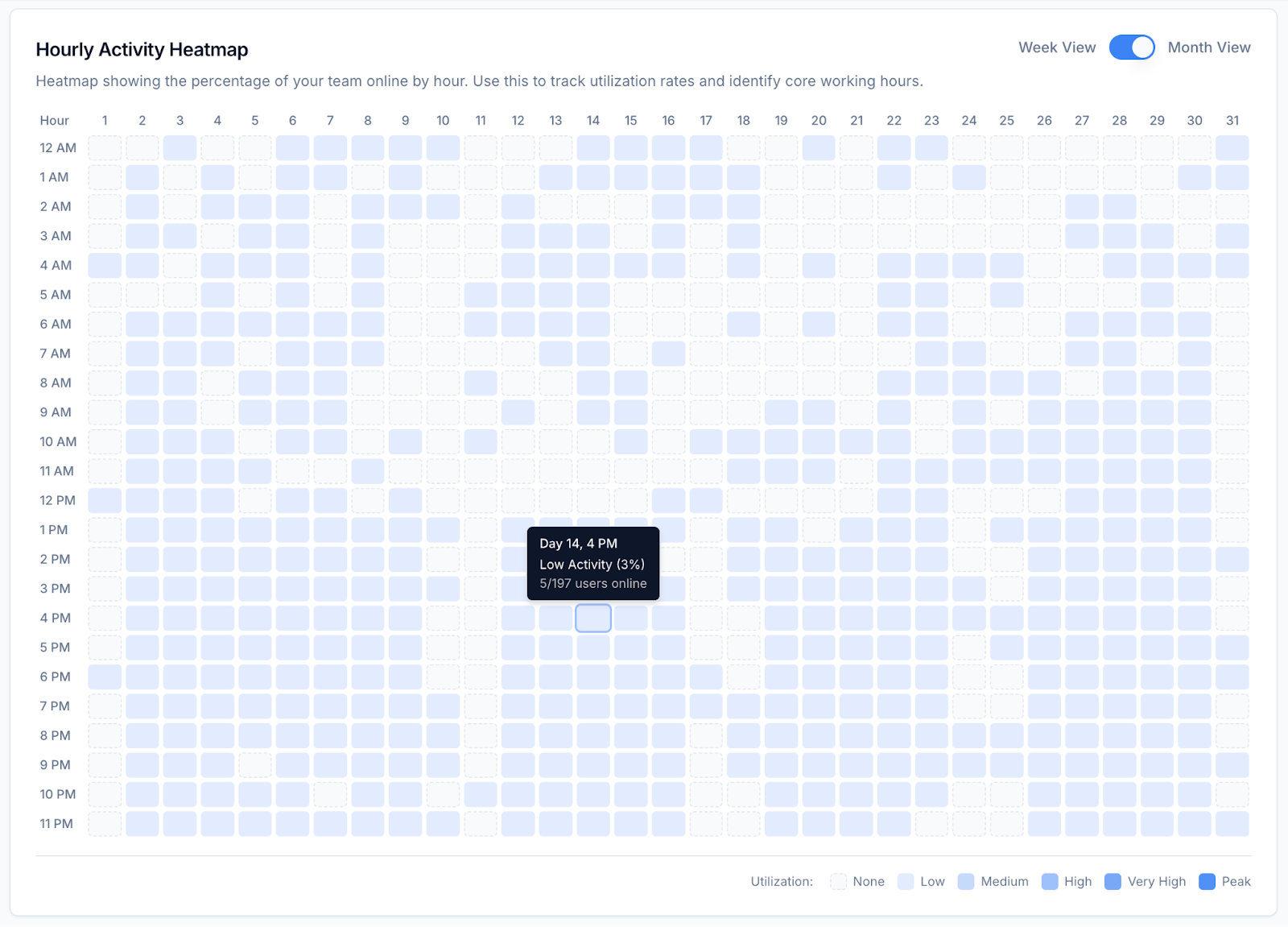
At the bottom of the dashboard is the Hourly Activity Heatmap. This visual grid shows exactly when your users are online during the week. Use this to identify utilization rates and plan your support coverage around your customers' core working hours.
Why it Matters
Instant Risk Assessment
You no longer need to run complex reports to find churn risks. The "At Risk" and "Dormant" counters tell you exactly how many accounts need saving today.Prove Value
The Frequency and Heatmap charts are perfect for QBRs (Quarterly Business Reviews), showing your clients exactly how their teams are utilizing the software.
Need help with your Login Activity?
💬 Reach out or submit a ticket through our Chat Widget — we're here to help!