🔍 GoCSM Revenue Intelligence Churn Analysis – Uncover churn drivers & win back lost customers
The Churn Analysis tab helps you understand who is leaving and why, so you can refine your onboarding and renewal strategies.
What’s New
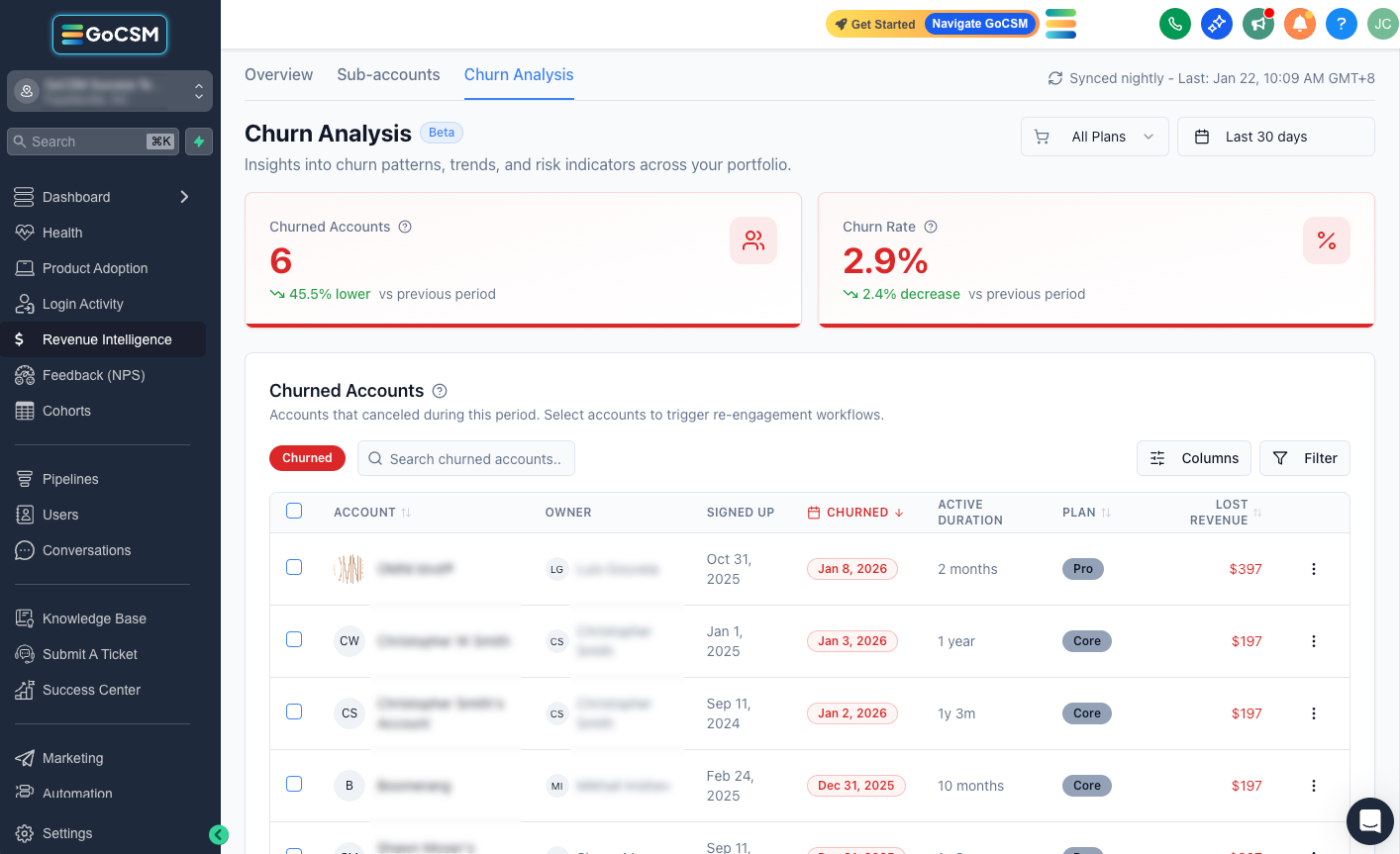
📊 Churn KPIs & trends – See total churned accounts and churn rate for the selected period and compare against the previous period.

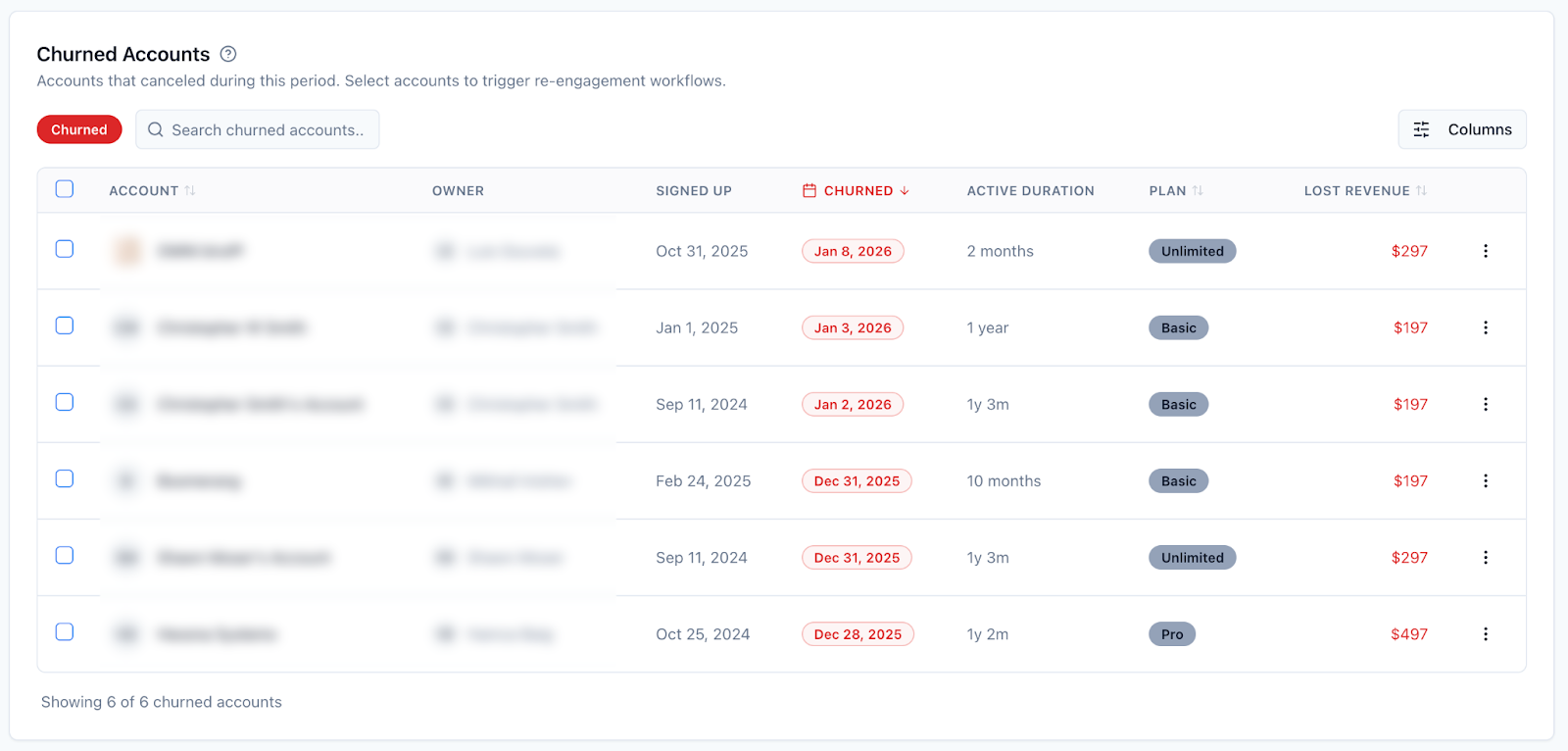
📃 Churned accounts list – Review churned customers with sign‑up date, churn date, active duration, plan and lost revenue. Use filters and selections to target win‑back campaigns or analyze common patterns.
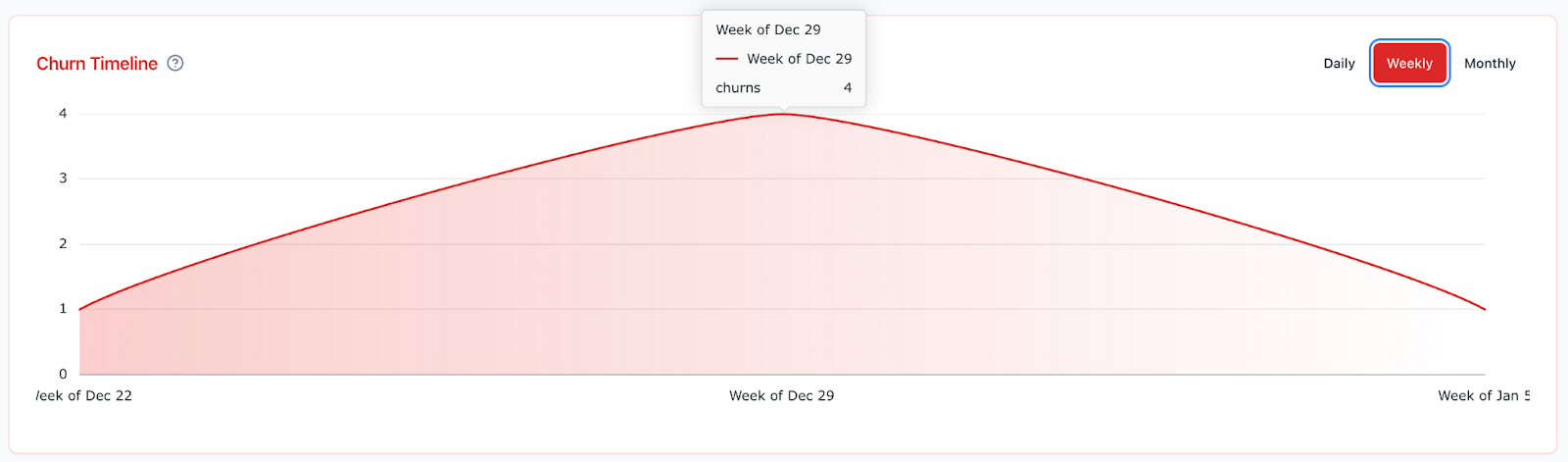
🕒 Churn timeline – Visualize churn events on a daily, weekly or monthly timeline to identify spikes around renewals or feature changes.
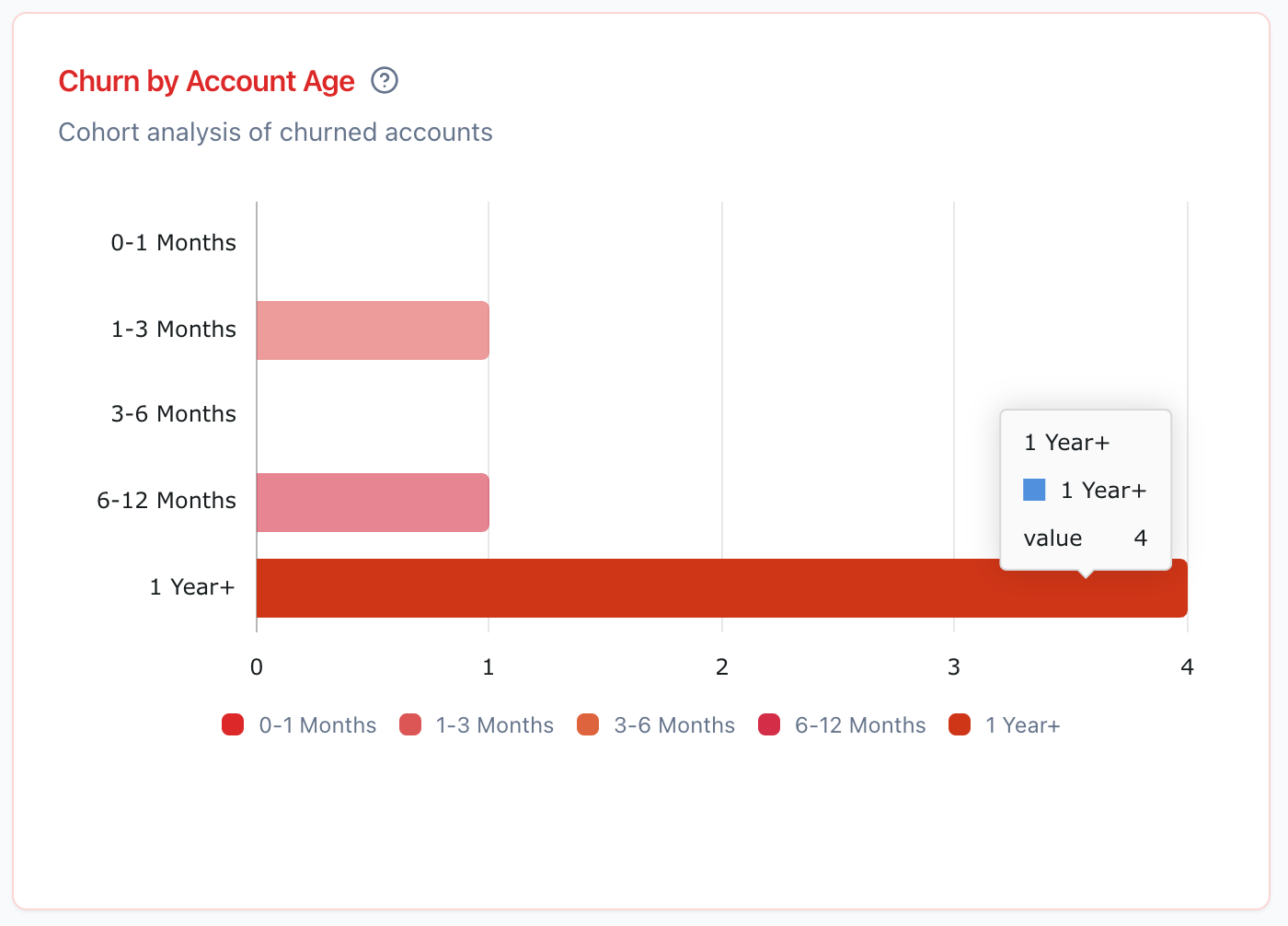
🎂 Churn by customer age – Cohort chart shows whether customers churn early (0‑1 months) or later in their lifecycle, spotlighting onboarding or long‑term engagement issues.
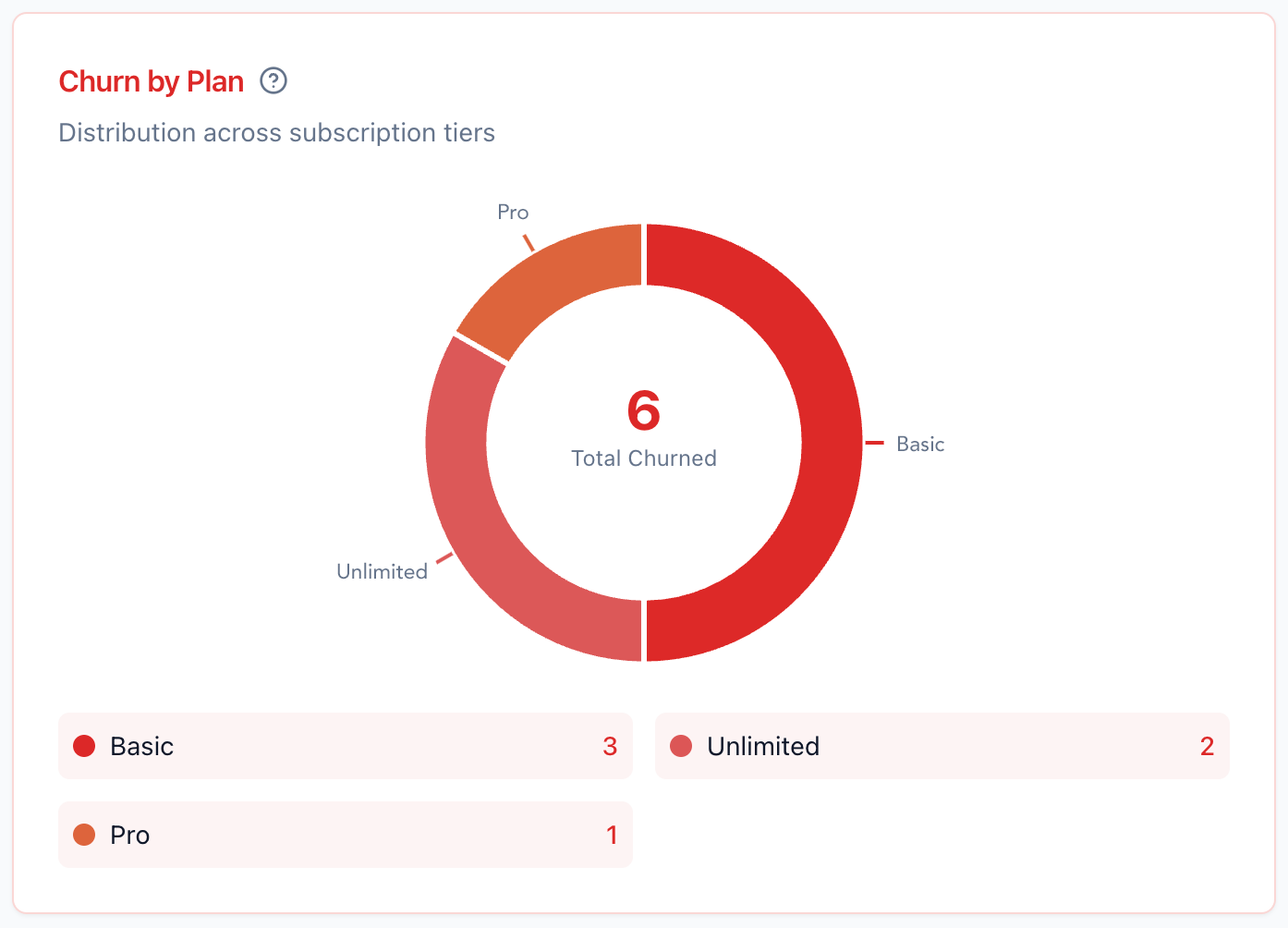
🗂️ Churn by plan – Doughnut chart breaks down churned accounts by plan tier, highlighting which subscription tiers have the highest cancellations.
Why This Matters
🧠 Reduce churn – Evidence‑based insights help you fix root causes and keep more customers.
🧰 Prioritize retention efforts – Know whether to invest in onboarding improvements or long‑term engagement strategies.
📈 Recover lost revenue – Identify churned customers with high value and tailor win‑back campaigns to restore revenue.
What’s Coming - Churned Account Behavior
Adoption Drop — See feature usage drop‑off prior to cancellation.
Login Activity — Track last login dates (e.g., detect long inactivity leading up to churn).
Feedback Score — Correlate negative NPS/feedback patterns with churned accounts.
Spending Habits — Analyze wallet spend decline (SMS/Email) before churn.
Check how Revenue Intelligence will work for you:
👉 https://docs.gocsm.com/en/articles/4978502
Need help with your Revenue Intelligence?
💬 Reach out or submit a ticket through our Chat Widget — we're here to help!