💼 GoCSM Revenue Intelligence Sub‑accounts – Spot growth & risks per customer
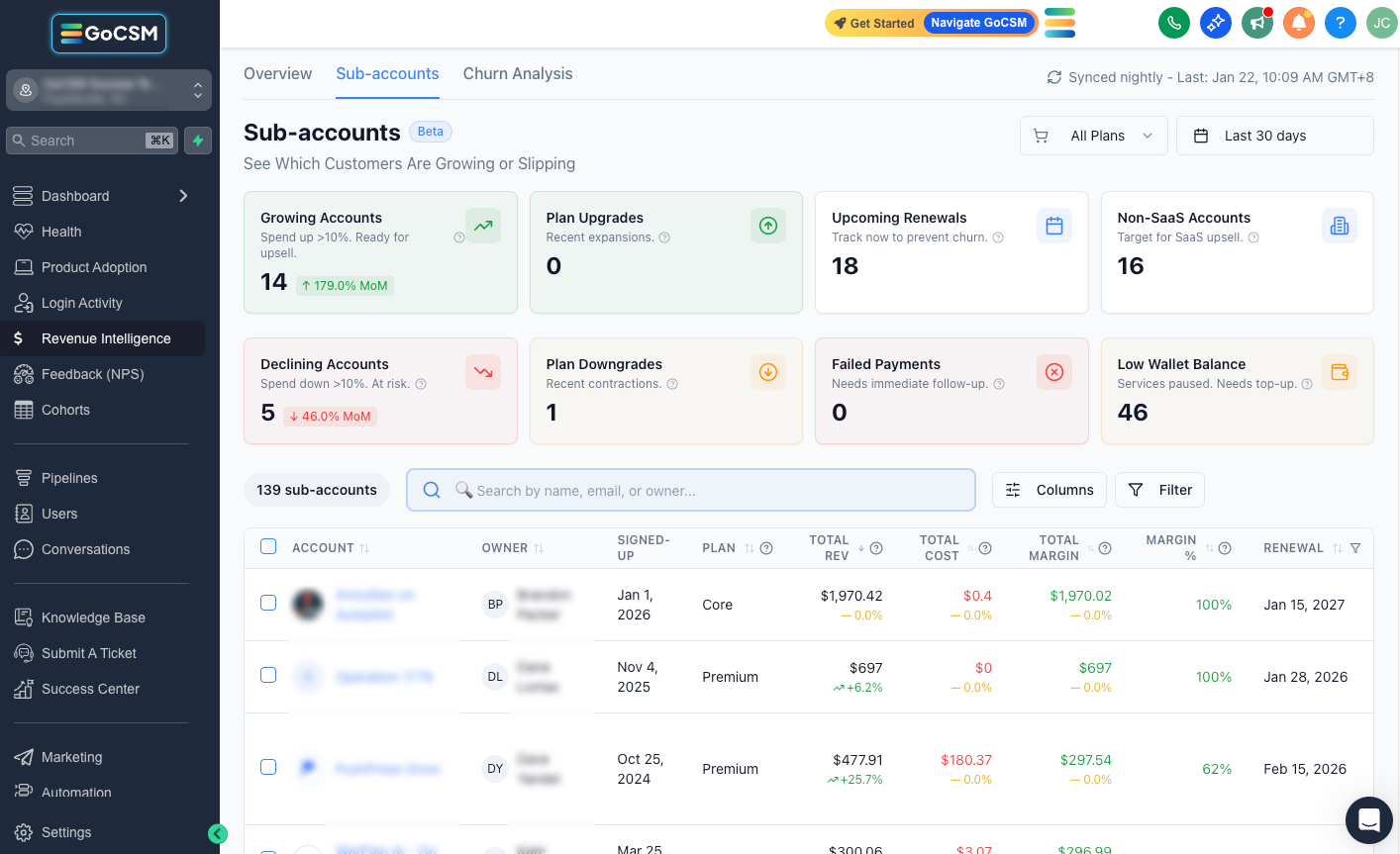
The Sub-accounts tab helps you understand how each customer is performing financially so you know who needs attention and why.
Instead of guessing, you can quickly see which accounts are growing, which are at risk, and where to take action.
What’s New
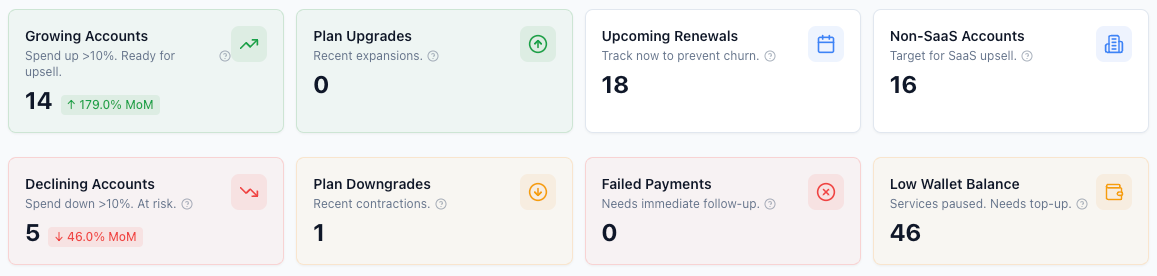
📊 Signal cards for growth & risk – At the top of the table, you’ll see counts of growing accounts, plan upgrades, upcoming renewals, non‑SaaS accounts, declining accounts, plan downgrades, failed payments and low wallet balances.
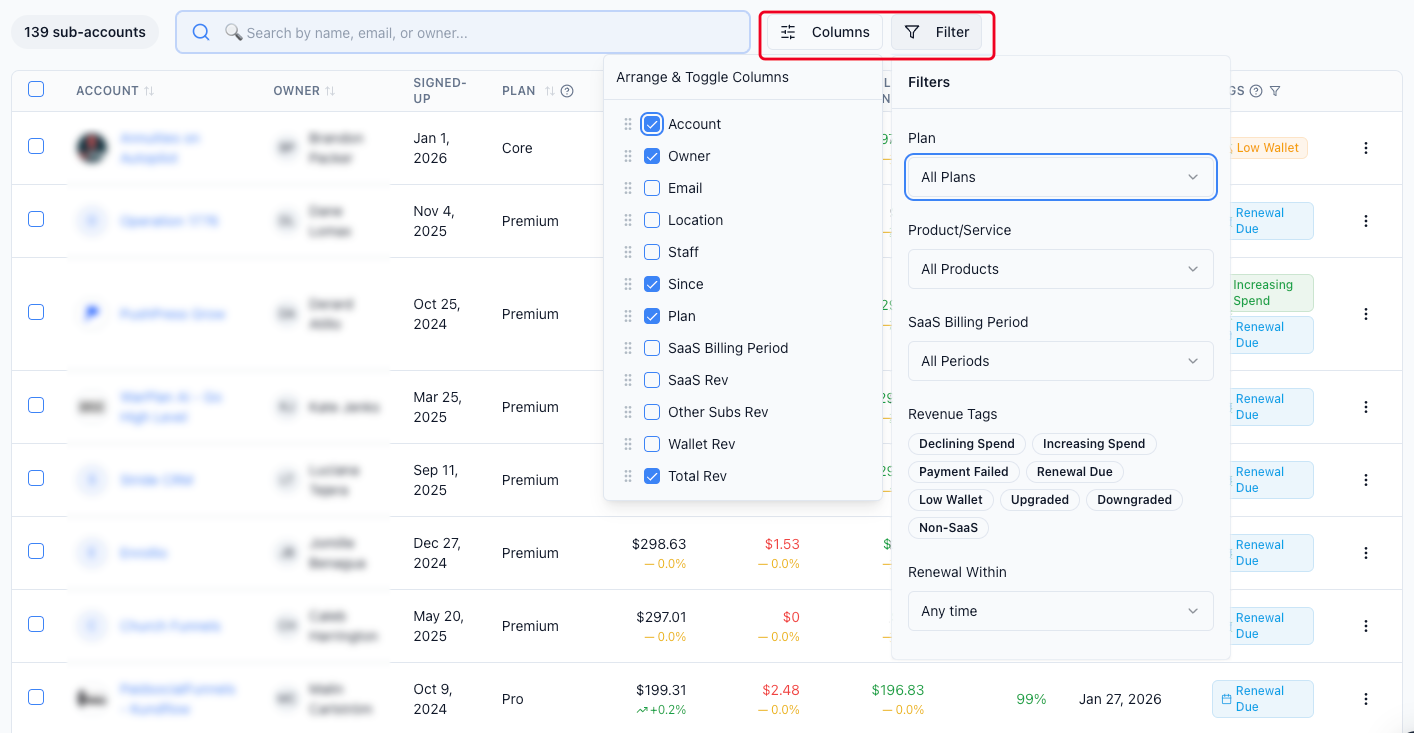
🔍 Powerful table & filters – Search by name/email and filter by plan, product, billing period, tag or renewal window. Sort columns, group by plan or health status and save your preferred column arrangement for future sessions.
🏷️ Actionable tags – Accounts are automatically tagged (e.g., Declining Spend, Increasing Spend, Payment Failed, Renewal Due, Low Wallet). Filter by tags and follow the priority framework (daily/weekly/monthly) to know which customers need attention first.
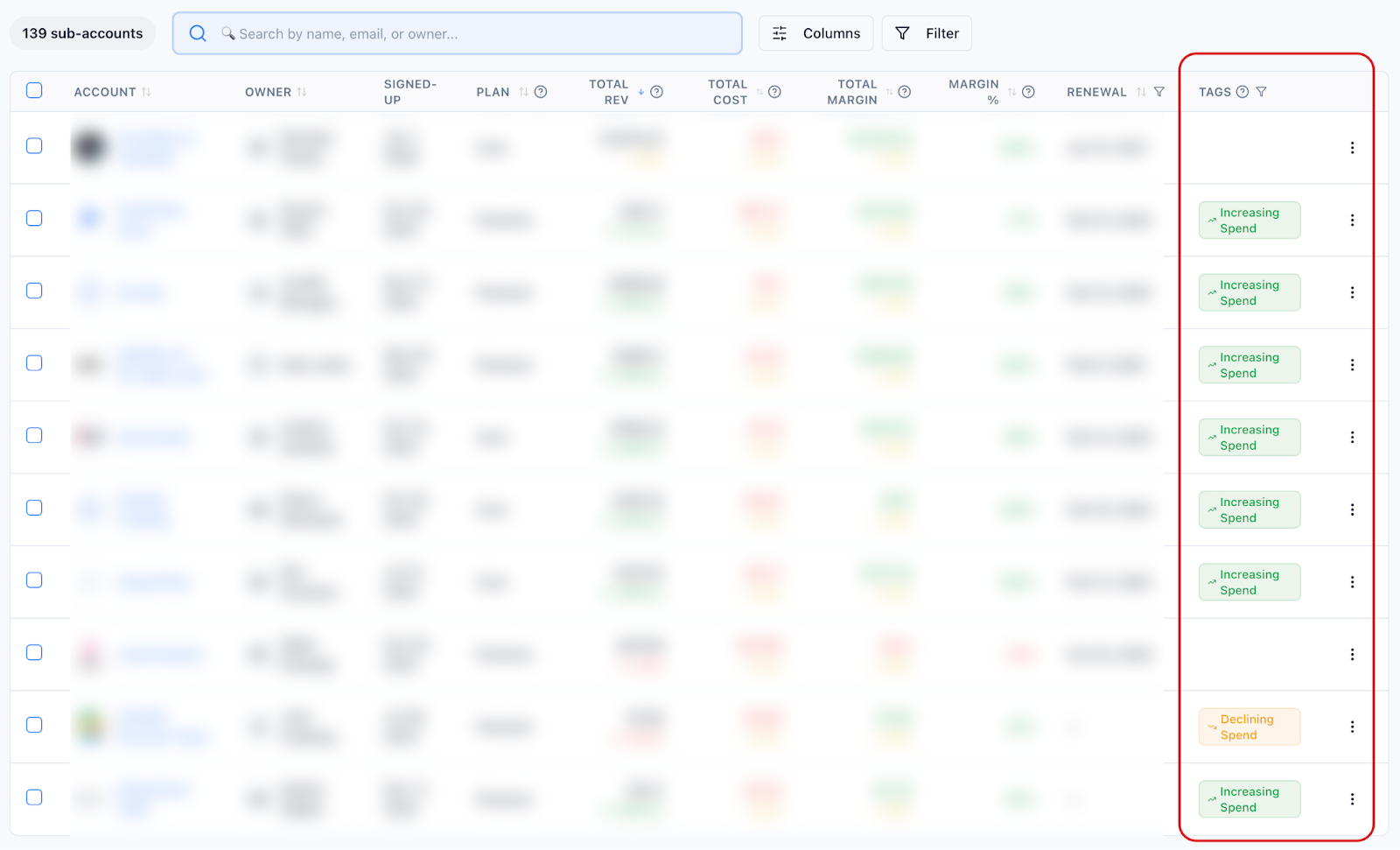
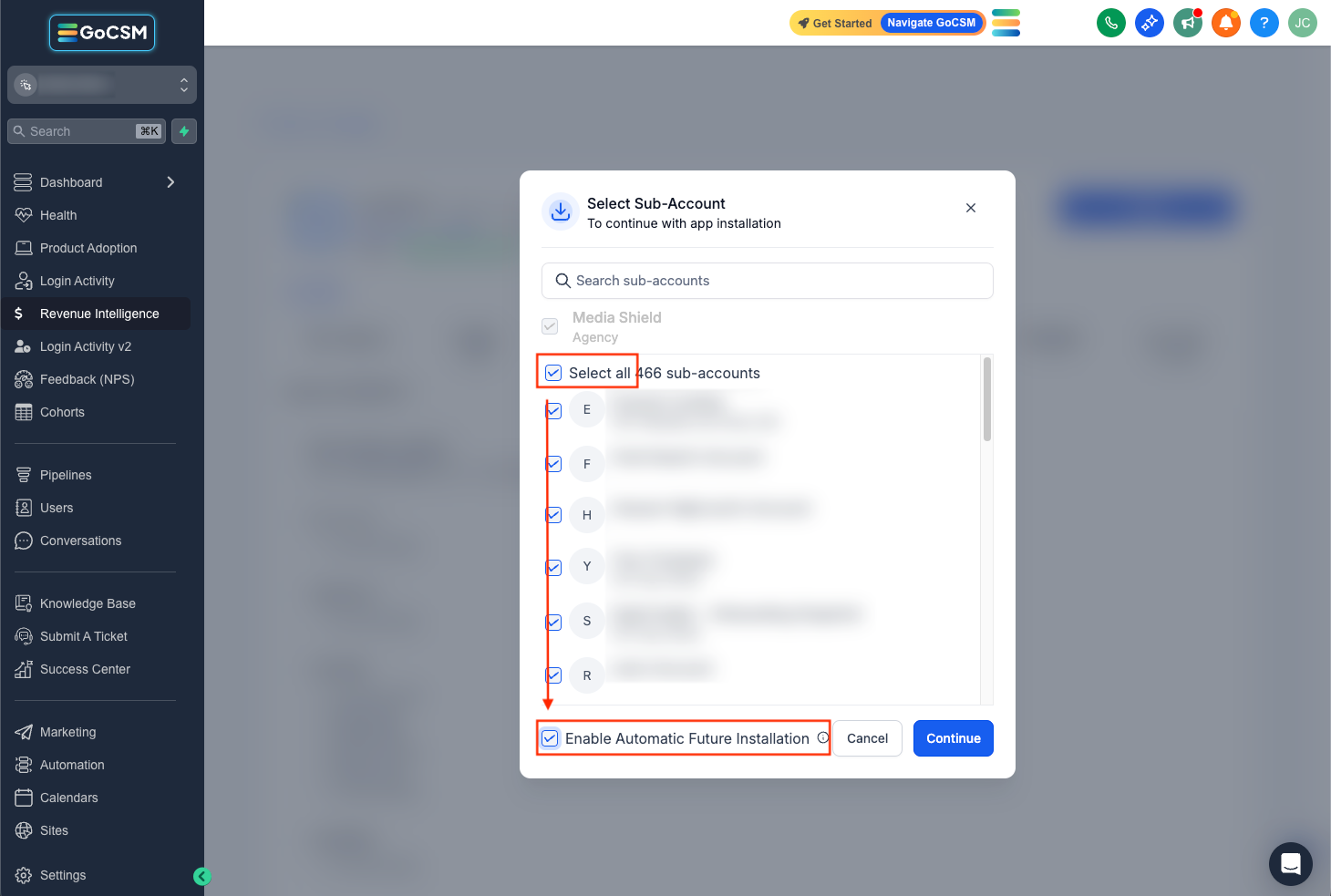
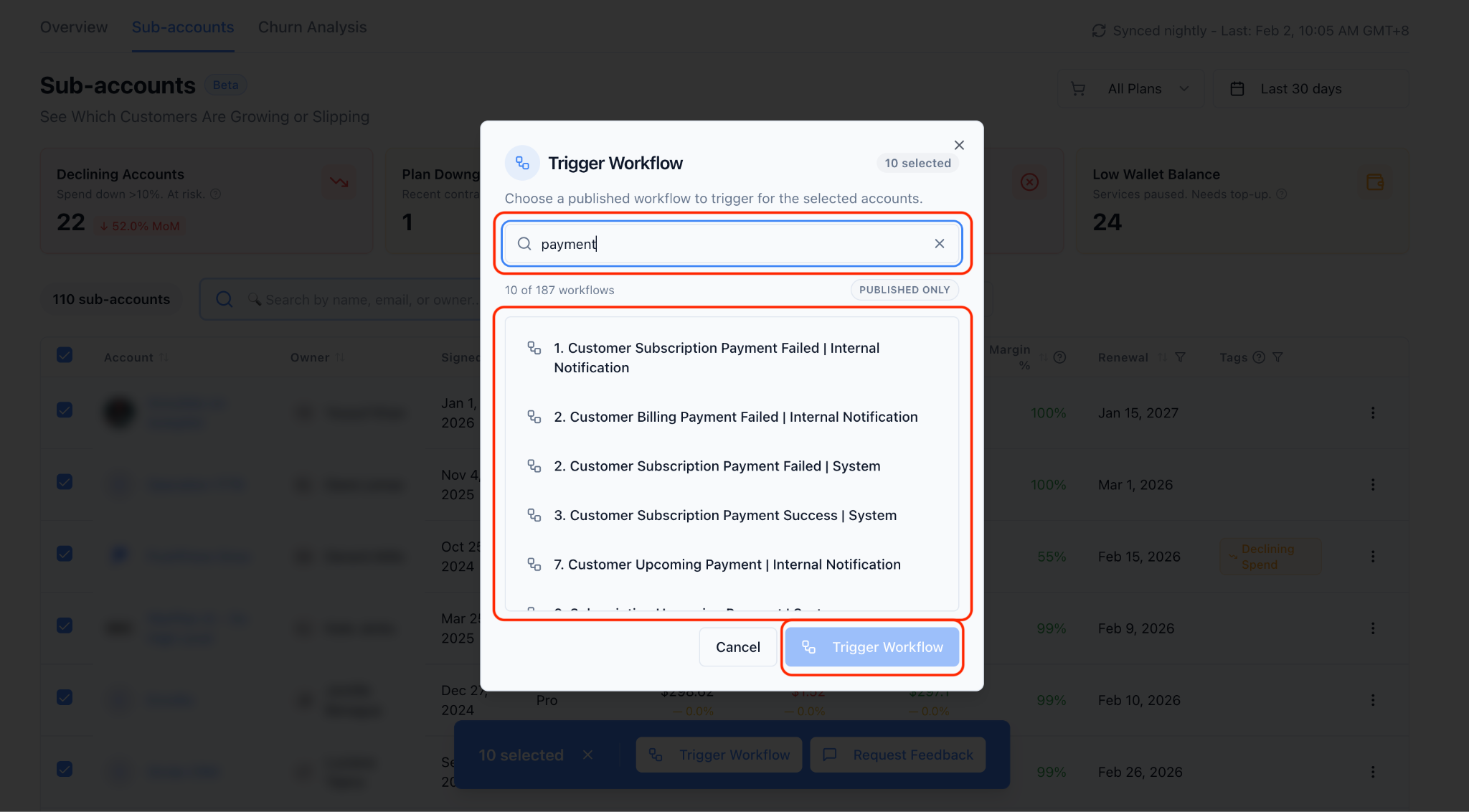
⚡ Bulk actions & exports – Select multiple accounts to trigger GoHighLevel workflows or request feedback. The bulk‑action bar appears at the bottom of the table, and you can export the current view to CSV for offline analysis.
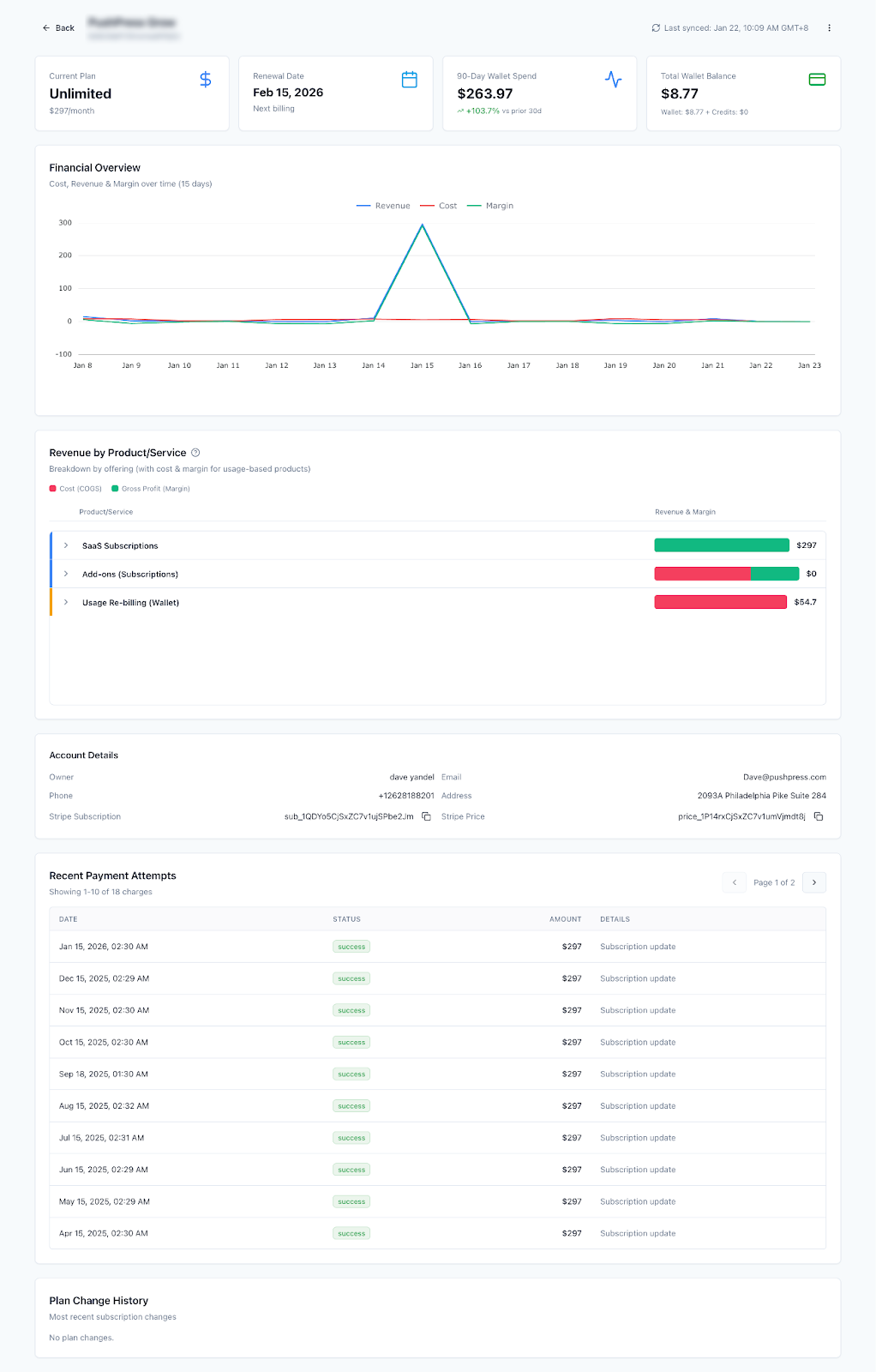
🔎 Drill into account details – Clicking an account opens a detailed page showing lifetime revenue, costs, margin, wallet balance, product breakdown, payment history and plan changes.
Why This Matters
🧑💼 Prioritize effectively – Tags and filters help Customer Success teams work smarter by focusing on accounts that need attention right now.
🔄 Engage at scale – Bulk workflows and feedback requests let you reach many accounts at once while still personalising outreach.
🚀 Grow revenue & reduce churn – By pinpointing upsell candidates and at‑risk accounts, you can increase lifetime value and prevent cancellations.
Check how Revenue Intelligence will work for you:
👉 https://docs.gocsm.com/en/articles/4978502
Need help with your Revenue Intelligence?
💬 Reach out or submit a ticket through our Chat Widget — we're here to help!