🚀 Login Activity Now Live!
What This Update is About
We are excited to introduce Login Activity, a behavioral analytics feature that tracks how sub-accounts and users engage with your platform.
This update unlocks visibility into the following areas:
Who is logging in: Track both sub-accounts and individual users.
When they are logging in: See timestamps, frequency patterns, and heatmaps.
Engagement Depth: Monitor session duration and time spent in the app.
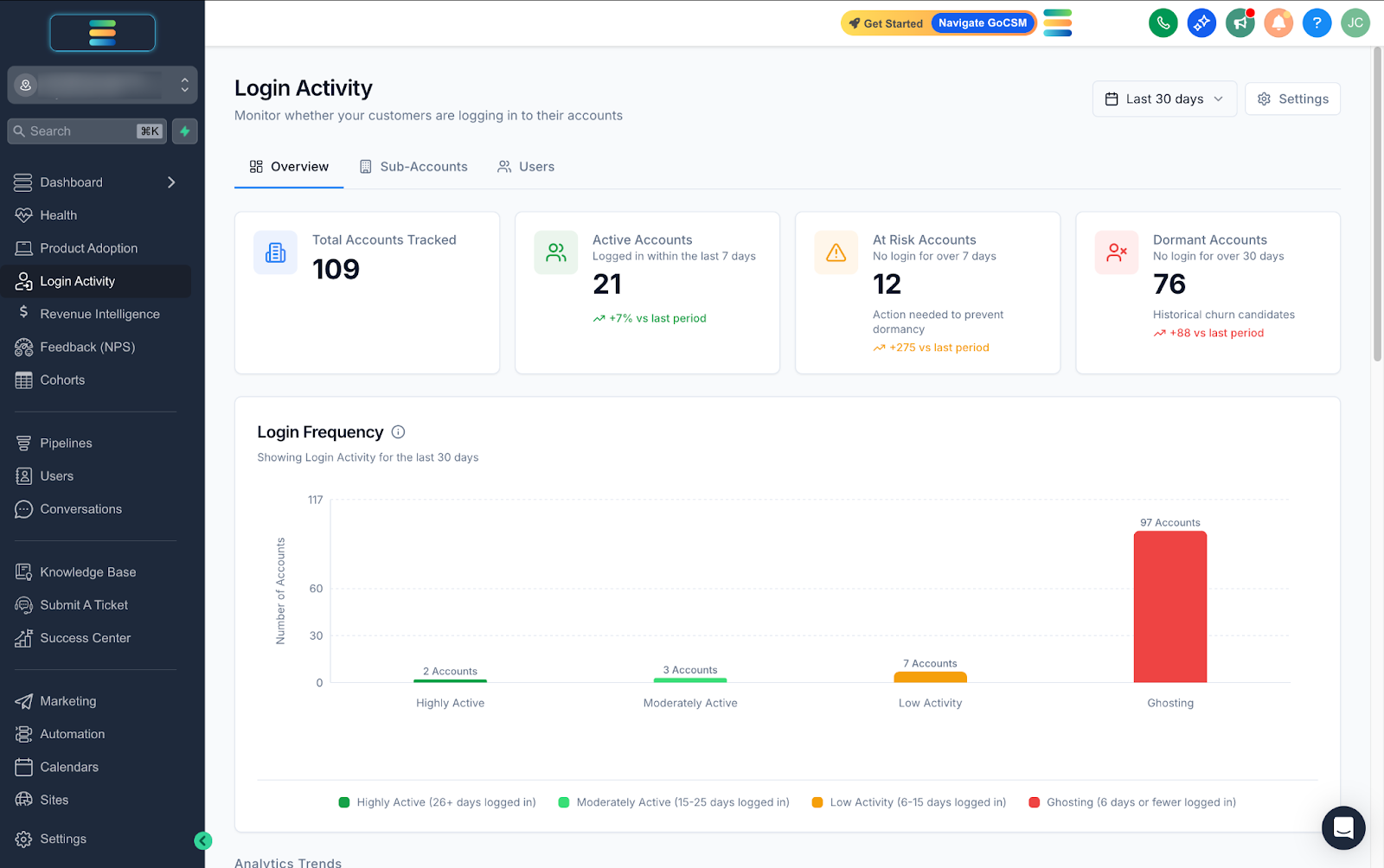
👉 Learn More About Login Activity Overview
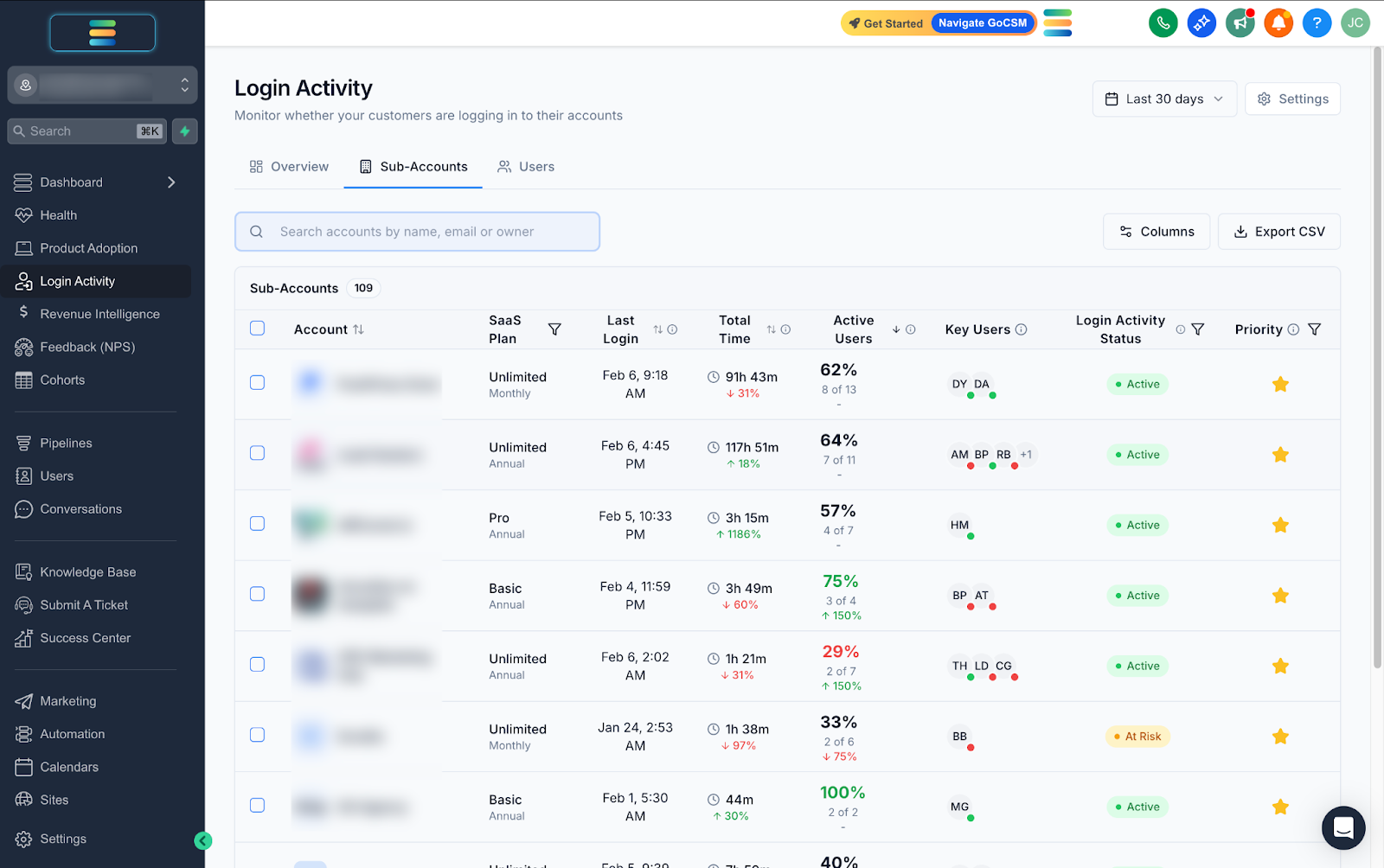
👉 Learn More About Login Activity Sub-Accounts
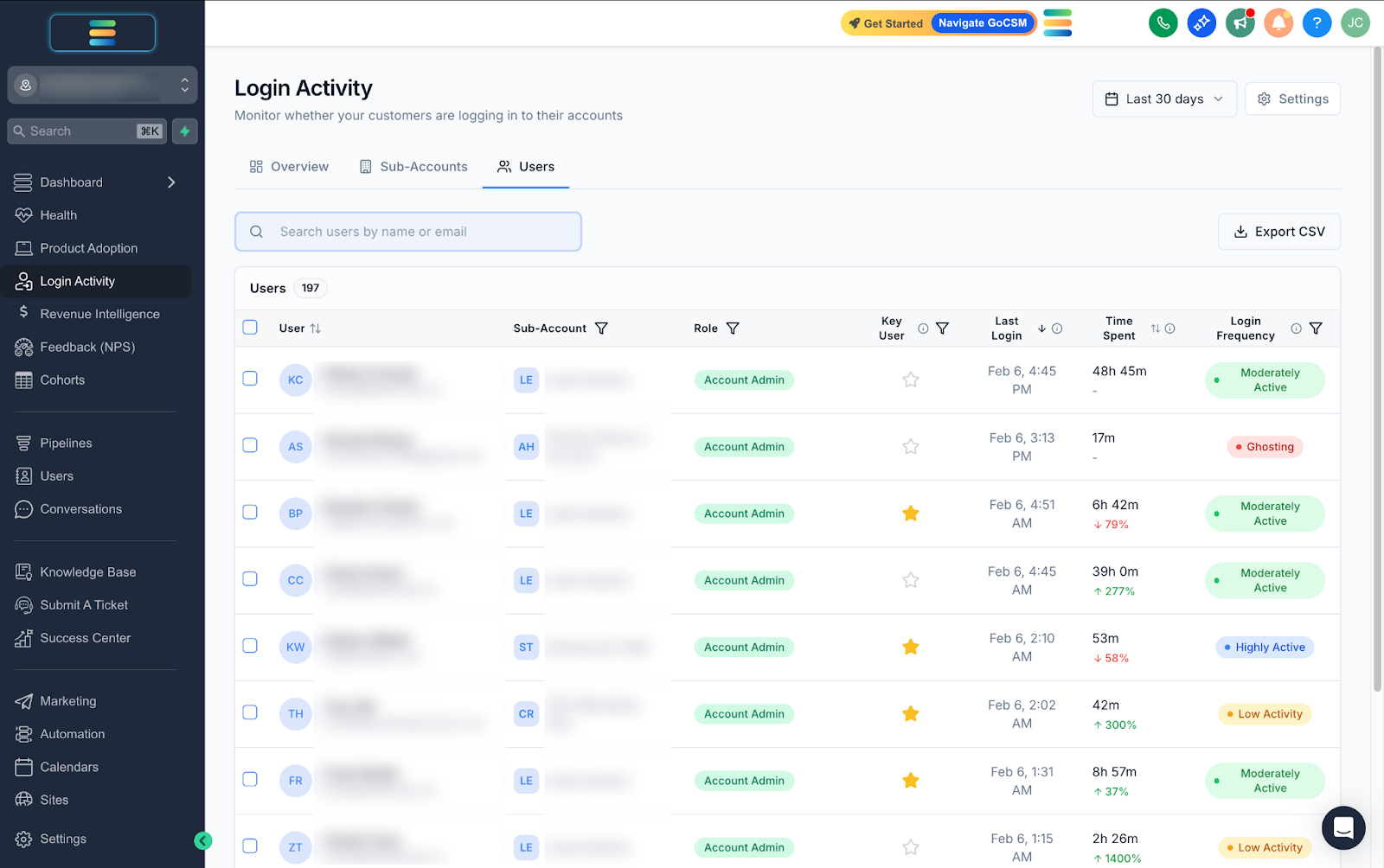
👉 Learn More About Login Activity Users
Key Features
📊 Frequency Distribution & Heat maps Visualize your entire user base by engagement level from "Heavy" users to those who are "Ghosting." The Hourly Activity Heat map helps you identify core working hours and utilization rates.
🚦 Smart Account Statuses
Automatically categorize accounts based on their last login:Active: Logged in within the last 7 days.
At Risk: No login for 8–30 days.
Dormant: No activity for more than 30 days.
🛡️ Privacy-First Architecture We focus exclusively on behavioral analytics. We do not track IP addresses, device types, or geolocation, reducing privacy concerns and simplifying compliance.
⏱️ Accurate "Active Time" Tracking We use heartbeat tracking that pauses when a user is idle or hides the tab, ensuring you measure actual engagement rather than just open browser windows.
Why it Matters
Identify Churn Risk Early Spot accounts that haven't logged in for weeks ("Dormant" or "Ghosting") so you can reach out before they cancel.
Spot Upsell Opportunities Find "Heavy" users who are deeply engaged but on lower-tier plans, signaling a perfect moment for an upgrade conversation.
Prioritize Support Focus your Customer Success efforts based on actual engagement data rather than just revenue, ensuring power users stay happy.
Check out Login Activity in action for you
👉 [Click here to access the new Login Activity Dashboard]
Something confusing or need some help setting up?
Adjust your views: You can toggle settings to include churned accounts or agency admins in your data views via the Settings panel.
Understanding delays: Data is buffered for high performance, so expect a 30-second to 2-minute delay for new logins to appear.
What's Next?
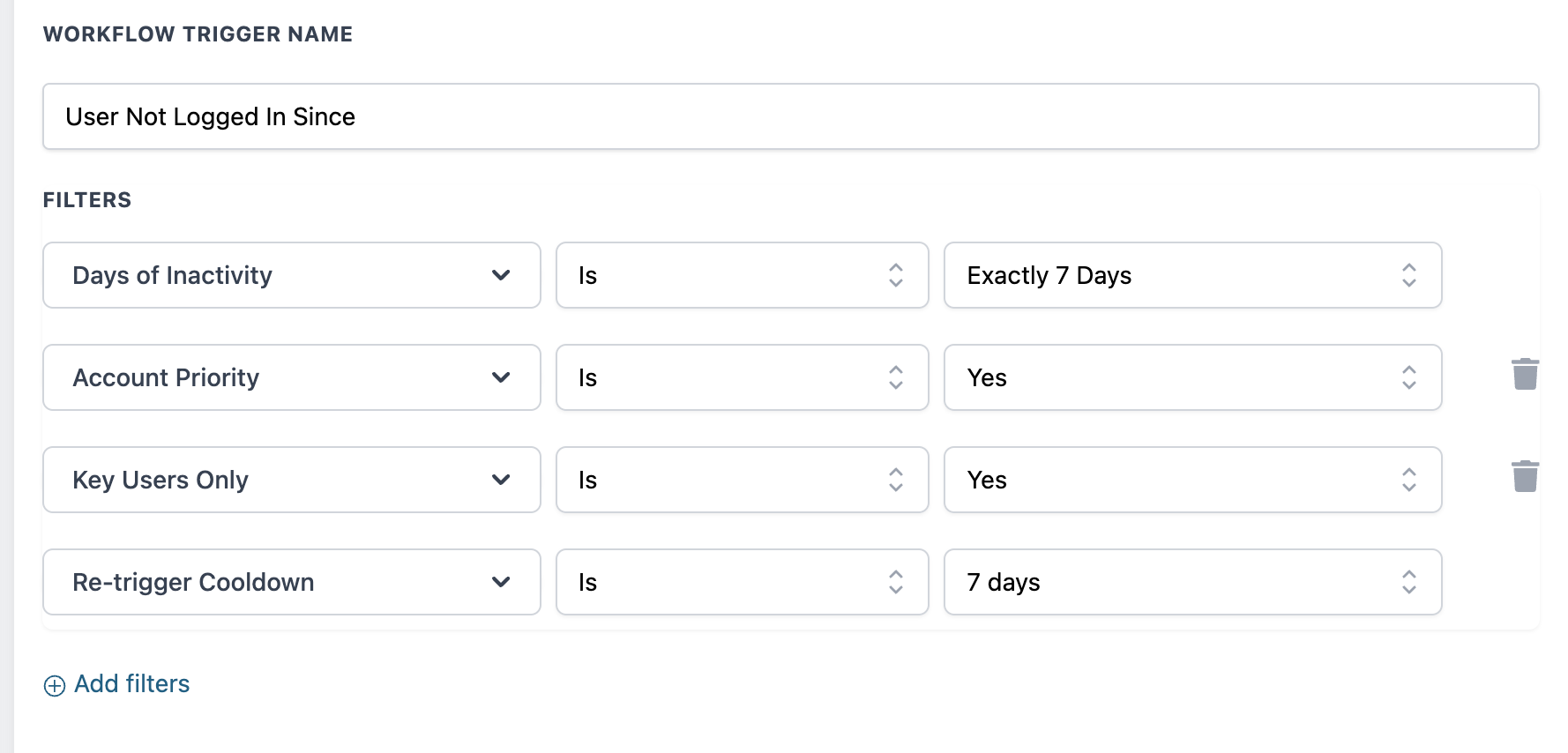
[Coming VERY Soon] A custom Workflow Trigger for GoCSM v3 called “User not logged in since” giving you ability to build your own bespoke retention workflows that reactivate users who are not logging in after X days.
💡 Have ideas for how we can improve these metrics? For questions, feedback, or feature requests, please contact the Product team or your CSM.
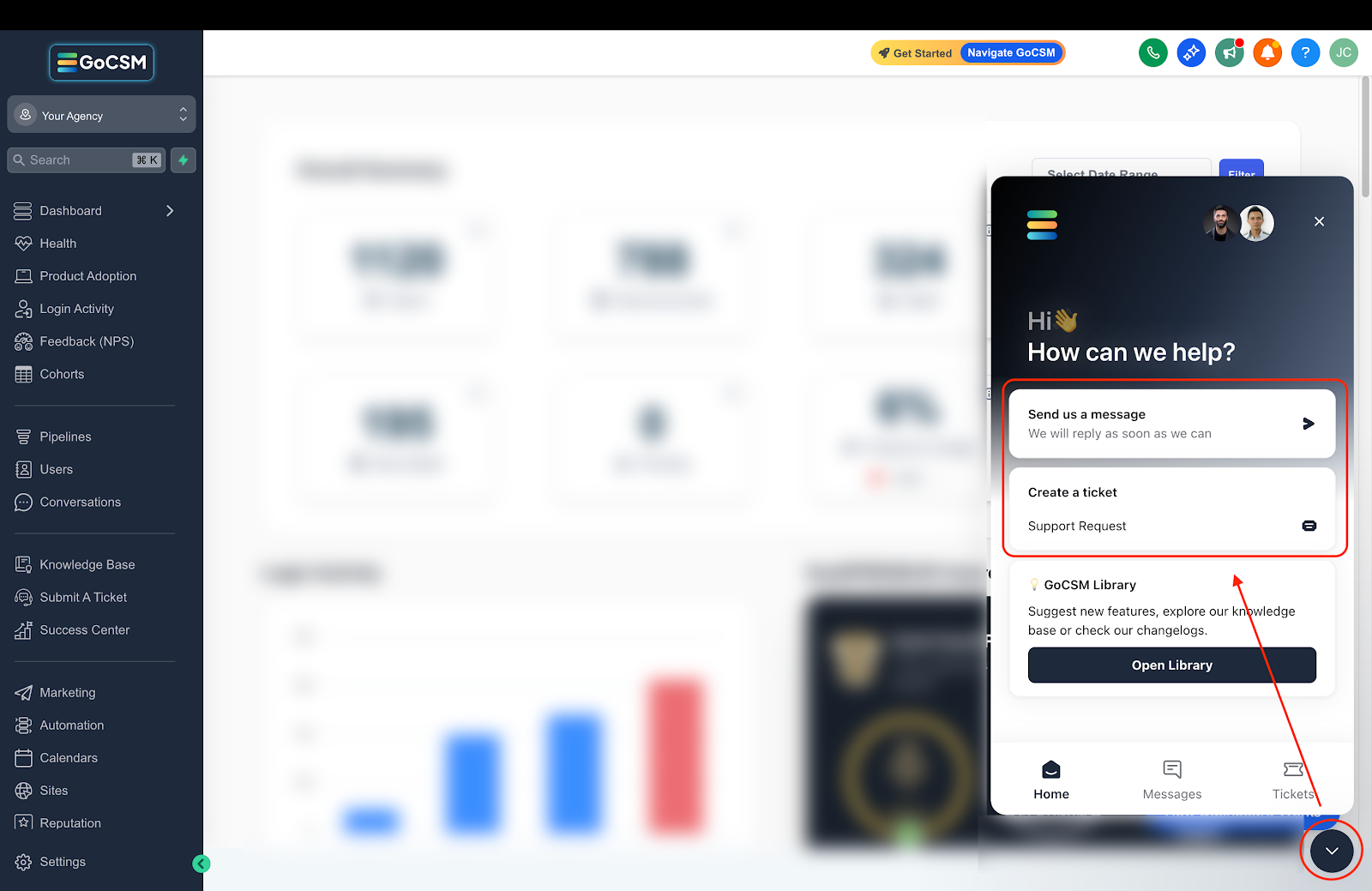
Need help with your Login Activity?
💬 Reach out or submit a ticket through our Chat Widget, we're here to help!