💳 New Triggers: Stripe Payment Success & Failed Now Available in GoCSM Workflows
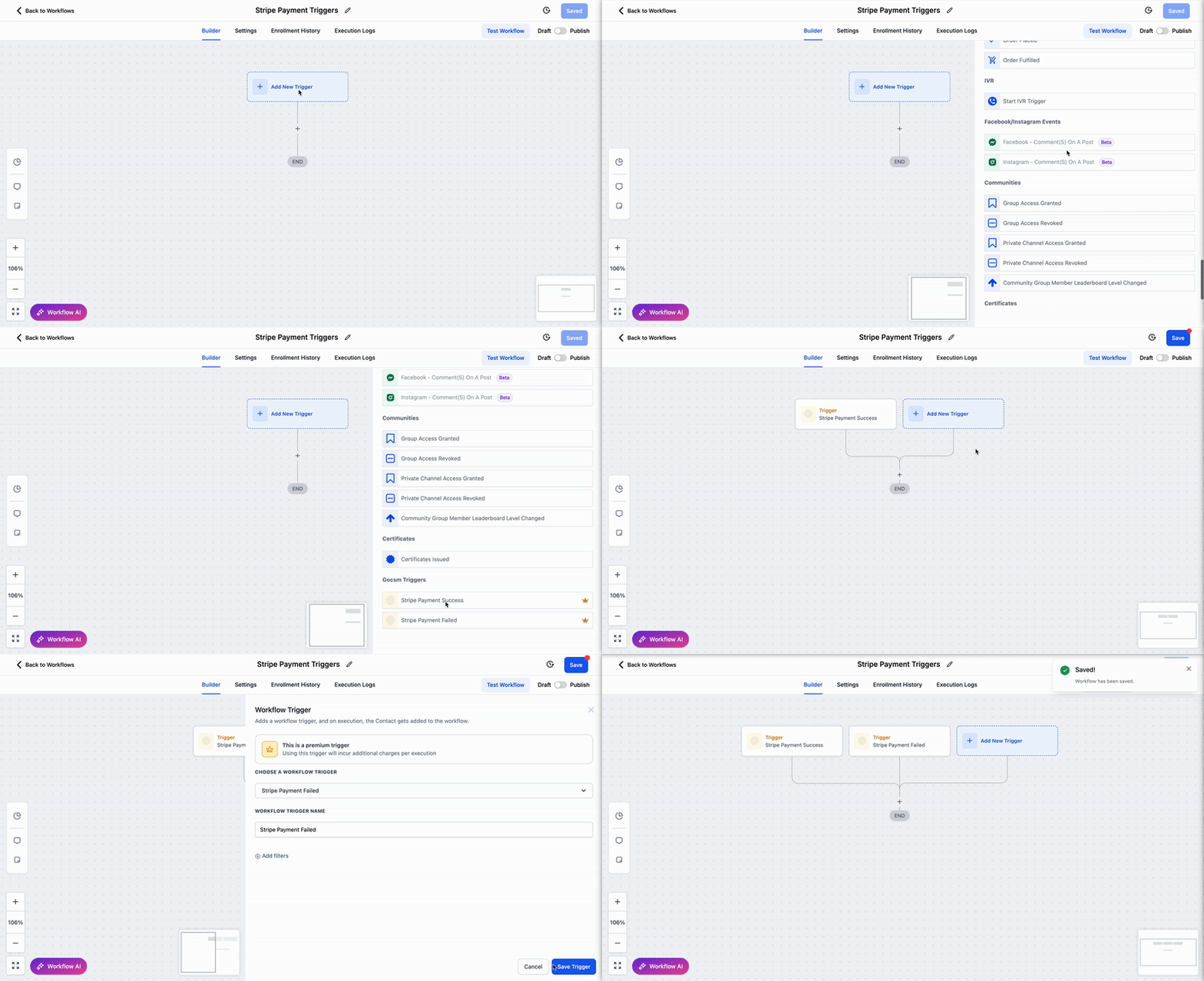
You can now build automated workflows based on Stripe payment events — allowing you to respond instantly when a payment fails or succeeds.
🔌 Stripe Integration Required
Be sure to connect your Stripe account in GoCSM to enable these triggers.
🆕 What’s New
✅ Payment Success Trigger
Automatically run workflows when a payment is successful
Great for tagging users, sending notifications, or updating subscription stages
❌ Payment Failed Trigger
Trigger workflows when a payment fails to:
🔖 Tag the customer as payment failed
📍 Move them to the “Subscription Payment Failed” stage inside the Subscription + Billing Pipeline
🚫 Pause services or notify your team
🔁 Auto-Recovery Logic Included
If a customer later successfully pays, GoCSM will:
✅ Remove the payment failed tag
🔄 Move them back to the “Active Subscription” stage in your pipeline
💡 Use Cases
🧠 Automated Dunning Sequences:
Send reminders or retry payment links right after a failed attempt.
🔁 Subscription Recovery Flows:
Bring customers back to “Active” automatically after a successful payment.
📬 Instant Notifications:
Notify internal teams on real-time events.
These triggers are now live under Workflows > Triggers > GoCSM Triggers.
Need help setting up your automation? Join a support session or check out our Help Docs.