🚀 Major Enhancement: Health Score Configuration Is Now Live!
You now have full control over how GoCSM calculates Customer Health Scores across your sub-accounts.
🎯 What’s New?
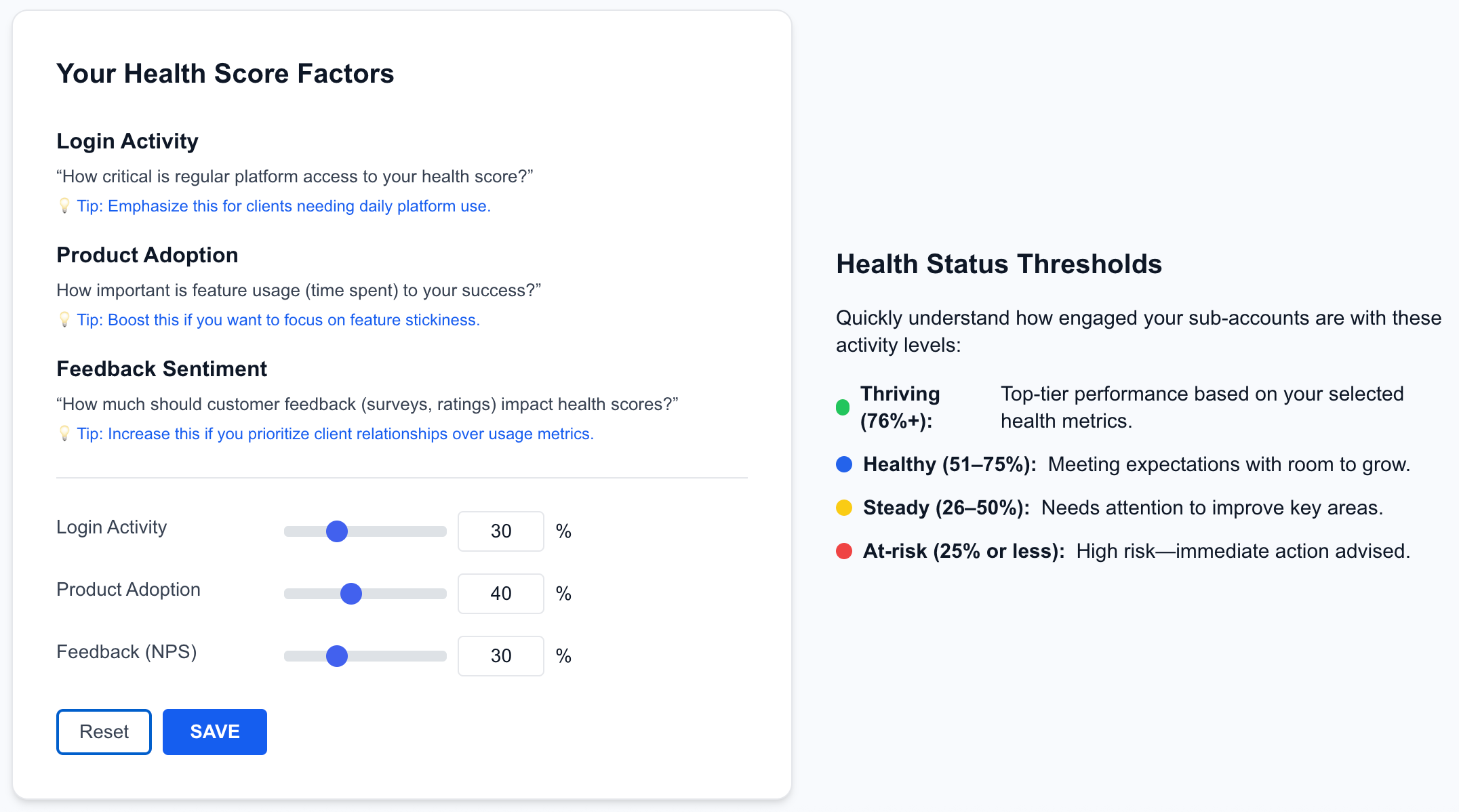
Previously, health scores were locked at:
🔹 Login Activity – 30%
🔹 Product Adoption – 40%
🔹 Feedback (NPS) – 30%
Now, you set the weight for each factor—up to a total of 100%—to align with how you define success for your customers.
🔧 How It Works
Go to Health > Configure in your GoCSM
Adjust the sliders for:
Login Activity
Product Adoption
Feedback Sentiment (NPS)
Hit Save — all your sub-account health statuses will be recalculated instantly
Use the built-in simulator to test how different scores impact health status before applying them
🧪 Simulate Real Scenarios
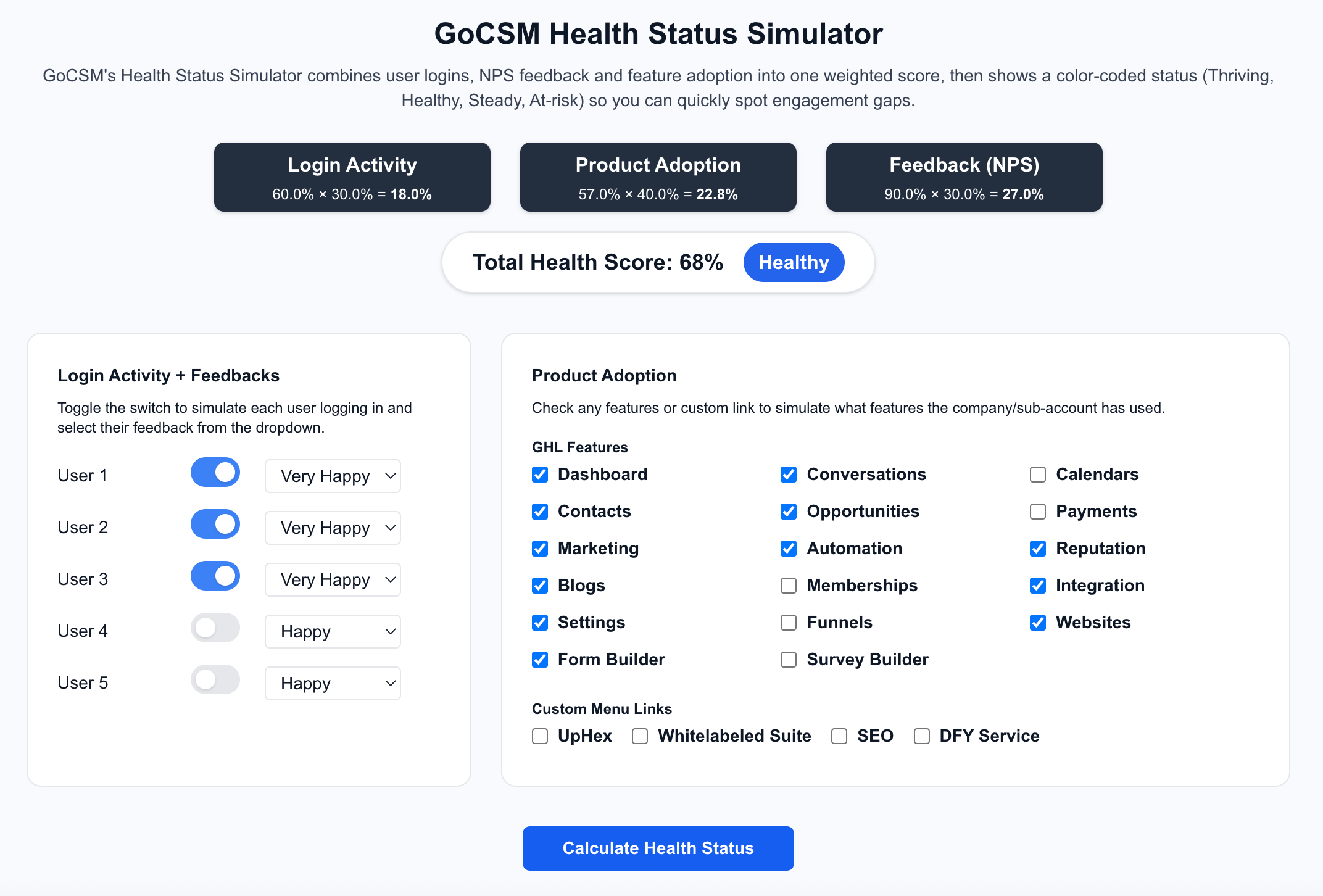
Use the Health Status Simulator to:
Toggle NPS responses from real users
Check features they’ve used
Instantly view calculated scores and see if they’re Thriving, Healthy, Steady, or At-risk
💡 Why This Matters
Every business has different success signals.
This feature lets you define your own customer health formula, so your GoCSM dashboard reflects what you care about most.
📍 Navigate to:
GoCSM → Health → Configure to get started.
Need help configuring your Health Scores? Join our training session or visit help.gocsm.com.